GTPL KCBPL is the name Bengal broadband operators see when they work with GTPL’s regional cable and broadband business. The important question is not only what the letters mean, but how you should manage the partner account, customer recharges, KYC and another ISP from the same shop.
What GTPL KCBPL means
KCBPL is used for Kolkata Cable & Broadband Pariseva. In formal records, the company name appears as GTPL Kolkata Cable & Broadband Pariseva Limited. You may also see GTPL KCBPL Broadband Private Limited in broadband licensing records. These names explain why searches can show slightly different spellings even though local operators commonly say “GTPL KCBPL”.
The official TRAI service-provider record lists GTPL Kolkata Cable and Broadband Pariseva Limited in West Bengal. The official GTPL KCBPL website presents broadband, digital cable TV and leased-line services, along with broadband quick pay and customer self-care links.
For an operator, the practical meaning is simple: GTPL KCBPL is an upstream service relationship. You sell and support connections in your local area, while the upstream provider supplies the broadband service, plans and partner process. Your shop still needs its own working system for customer details, collections, expiry dates, partner work and devices.
Do not confuse the name with a customer plan or a separate Wi-Fi technology. “GTPL KCBPL” identifies the GTPL regional business and the account relationship around it. Your exact partner access, area and commercial terms should come from GTPL.
How local operators in Bengal work with GTPL KCBPL
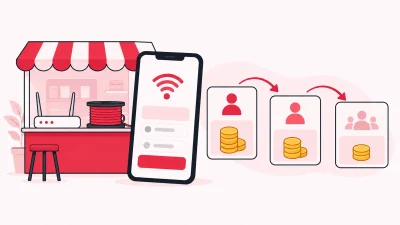
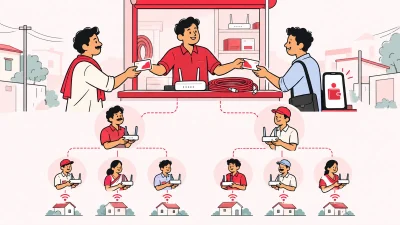
A local operator is often the person customers know in their para or mohalla. You may arrange a new connection, collect a renewal, explain a plan, coordinate installation and follow up when a customer needs help. If you also have partners, you may give them customers in another lane or locality and settle their commission through your own rules.
That work sits around the upstream ISP account. It is different from running the network core yourself. Your daily records should answer these questions quickly:
| Shop question | Record you should keep |
|---|---|
| Which service does this customer use? | ISP name and connection or account identifier |
| What should the customer renew? | Current plan and expiry information |
| Has the customer paid? | Payment and recharge history |
| Who handles this customer? | Operator, partner or sub-partner assignment |
| Where is the equipment? | Store, partner, installed customer or written-off status |
| Can I find the KYC file? | Document stored under your operator account |
If you keep these answers in separate notebooks, chats and phone screenshots, a simple customer call can take too long. A customer may say “my GTPL is expiring”, while your staff still has to identify the connection, check the plan, confirm the payment and find the correct upstream route.
This is why reseller-focused software should be built around the partner account rather than around network equipment that you do not control. The practical guide to ISP billing software for Indian resellers explains the difference between a network-owning ISP workflow and a local reseller workflow.
GTPL partner login and daily recharge work
The first login mistake is using a customer login for operator work. GTPL’s public account login asks for a 10-digit mobile number and offers password or OTP sign-in. That is a subscriber-facing route. A GTPL partner account can have a different username, password and access process supplied to you by GTPL.
Use the partner portal address and credentials provided through your GTPL relationship. Do not enter a partner password into a customer self-care page, and do not send it to staff through a WhatsApp group. If the login route changes, confirm the new route with GTPL before entering credentials.
Once you have the right access, your daily recharge routine should look like this:
- Find the customer using the connection or account identifier.
- Check the customer name, active plan and expiry information.
- Confirm whether the customer wants a renewal or a different plan available to that account.
- Check the amount and payment method before you submit the recharge.
- Save the confirmation or reference shown after the transaction.
- Match the result with the customer record and your wallet or cash register.
The important habit is to check the result before repeating an action. If a recharge screen times out, first check its status and ledger. Do not blindly submit the same recharge again just because the browser did not show the final screen.
ISP Square adds a web recharge page around the connected partner account. A customer can pay online without installing an app, the relevant ISP account is topped up, and you can see the recharge in your operator account. Customers, plans and balances sync every minute after the partner account is connected.
The result is a repeatable shop process:
| Stage | What happens |
|---|---|
| Customer asks to renew | Search one customer record, not several chats |
| Customer pays online | Payment starts from the shared web recharge page |
| Upstream account is topped up | The recharge is tied to the connected GTPL account |
| Operator checks the result | Payment, plan and customer history can be reviewed together |
| Partner is involved | The right partner wallet and commission rule are visible |
The software does not replace the need to verify the customer and plan. It gives you one place to carry out and check the commercial work around the ISP account.
Selling GTPL and another ISP from one shop
Many Bengal operators do not want their business tied to one upstream relationship. A customer in one street may use GTPL KCBPL, while another customer or a new area may use OneBroadband. The mistake is treating both accounts as if they were one ISP.
Keep the upstream identity visible on every customer record. A useful shared list should show:
- the ISP connected to the customer;
- the customer’s connection or account identifier;
- the plan and expiry information;
- payments and recharge history; and
- the partner or sub-partner responsible for the account.
ISP Square connects OneBroadband and GTPL today. It brings customers, plans and balances into one panel while keeping the ISP relationship identifiable. If you resell another ISP, ask the team which partner account can be connected before you promise a combined workflow.
The advantage is not that the ISPs become the same. The advantage is that your staff can follow one shop routine while selecting the correct ISP at each step. That means fewer searches through separate portals and a clearer answer when a customer asks which plan was renewed.
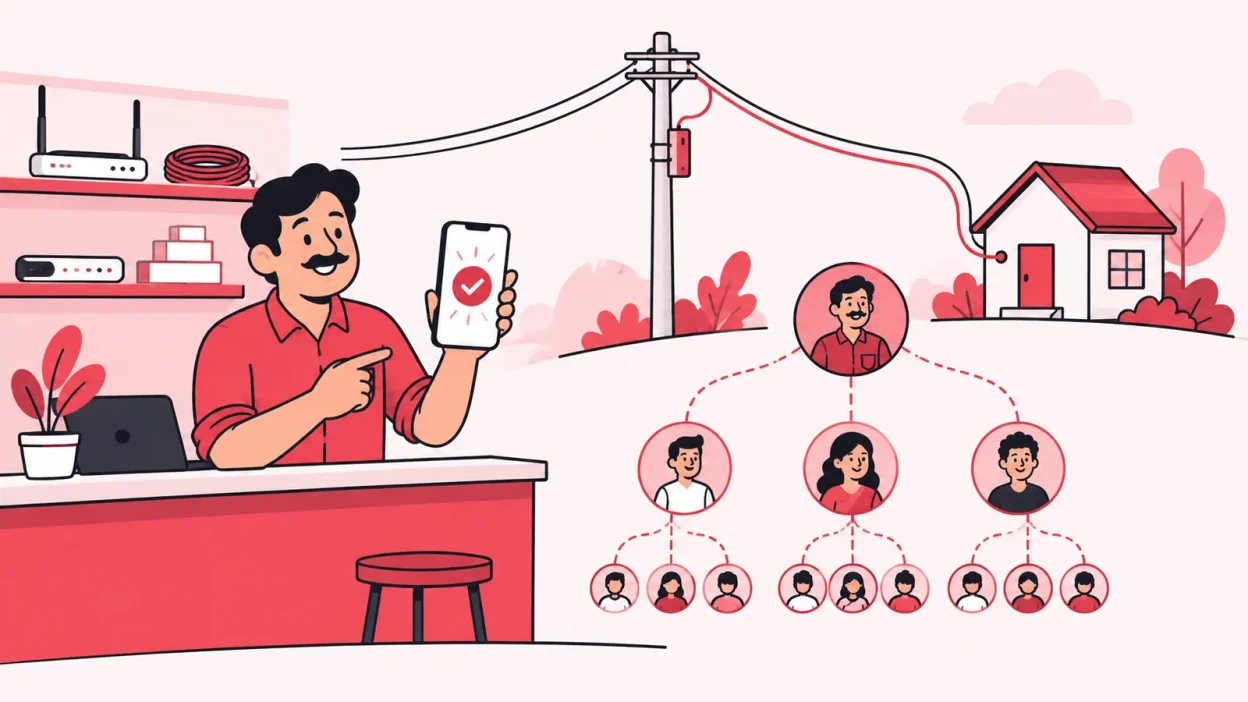
You can also run the partner structure across the work you manage:
| Level | Practical responsibility |
|---|---|
| Operator | Connects ISP accounts, controls the overall customer and wallet view |
| Partner | Handles assigned customers with their own login and wallet |
| Sub-partner | Works under the partner with a separate login, wallet and customer set |
ISP Square supports this three-level tree. You can set your own retail price per plan and level, keep the ISP cost hidden from partners, and post commission to the right wallet on every recharge. That is useful when one partner covers a locality and another partner handles a smaller group of customers.
For a small shop, begin with a short test list. Add a few known GTPL customers and a few customers from the other connected ISP. Check the ISP label, connection identifier, plan, expiry and latest payment before you move the full register. A controlled check is easier to correct than a mixed list.
You can see the product’s multi-ISP and partner features on the ISP Square features page. The aim is one operating view for your shop, not one merged account at the upstream provider.
Keeping KYC and customer history under your account
KYC is one of the reasons a local operator should keep its own records. Upload the documents to your operator account in ISP Square rather than leaving them only in a particular ISP portal or on one staff member’s phone. The KYC documents stay with your operator account if you leave an ISP.
That does not mean one software workflow decides the legal requirement for every connection. The documents, verification method and retention duty can depend on the ISP, service area and your business structure. Follow the process given by the ISP, and check a compliance question with the ISP or your CA.
Your customer history should stay useful even when the customer changes plan or when you add another upstream account. Keep the connection, plan, expiry, payments and notes together. If a customer has two connections, record them separately so a renewal is not attached to the wrong service.
Staff access also matters. ISP Square lets you create staff logins scoped to the screens they need, and every action is logged. Give a staff member access to search customers or handle assigned work without sharing the owner’s ISP password.
The same principle applies to partner access. A partner should have their own login, customer set and wallet. You keep the overall view, while the partner sees the work assigned to that level. The partner structure section on the ISP Square site shows how the operator, partner and sub-partner relationship is organised.
A practical GTPL KCBPL operator checklist
Use this checklist when you start the day or onboard a new partner:
- Confirm that the GTPL partner account is the correct account for your operating area.
- Keep the official partner login route and credentials private.
- Check a known customer’s connection, plan and expiry before taking a recharge.
- Use the customer’s account identifier, not only their name or mobile number.
- Check recharge status and wallet history before retrying a timed-out request.
- Keep GTPL customers separate from customers of another ISP in the shared list.
- Give staff and partners their own scoped logins.
- Review the partner wallet and commission rule before a partner handles a new plan.
- Record every router or ONU movement from store to partner to installed customer.
- Keep KYC and payment history under your operator account.
This routine is small enough for a shop counter. It also gives you a clear handover when another person handles the evening shift.
Common mistakes operators make
Treating the consumer login as the partner login
The public GTPL customer login is designed for subscribers. Partner access may use different credentials and a different route. Confirm the operator process with GTPL and keep those credentials separate.
Recording only the customer’s name
Two customers can share a name, and one customer can have more than one connection. Record the ISP and connection identifier with every plan, payment and recharge.
Managing different ISPs in one unlabelled register
OneBroadband and GTPL are separate upstream relationships. Use a shared operator panel if it helps your shop, but keep the ISP label visible so a recharge reaches the correct account.
Repeating a recharge after a timeout
A closed or timed-out screen does not tell you whether the request was recorded. Check the transaction status and wallet ledger first. Use the recorded result or support route before taking another action.
Keeping KYC only in a staff phone
Phone galleries and chat threads are difficult to hand over. Store the documents under your operator account and follow the ISP’s current KYC process.
FAQ
What is the full form of KCBPL in GTPL KCBPL?
KCBPL refers to Kolkata Cable & Broadband Pariseva. The formal company name appears as GTPL Kolkata Cable & Broadband Pariseva Limited in official records. Broadband licensing records can show the related name GTPL KCBPL Broadband Private Limited.
Is GTPL KCBPL the same as GTPL broadband?
GTPL KCBPL is GTPL’s regional cable and broadband business associated with West Bengal and its wider operating areas. Your exact service area, plan and partner terms come from the relevant GTPL account, so confirm them before selling a connection.
Is the GTPL customer login the same as the partner login?
No. The public GTPL account login is a subscriber route using a mobile number and password or OTP. Operators should use the partner credentials and access route supplied through their GTPL relationship.
Can I manage GTPL KCBPL and another ISP together?
Yes, ISP Square currently connects GTPL and OneBroadband in one operator panel. Each customer record keeps its ISP, connection, plan, expiry and payment history visible, so your staff can follow one process without mixing upstream accounts.
How can I manage GTPL recharges with partners?
Connect the GTPL partner account, give each partner a separate login and wallet, then set the retail price and commission rule for each level. ISP Square supports the operator → partner → sub-partner structure and records commission on each recharge.
Plans start low—see current ISP Square pricing for the latest information. When your GTPL account and customer list are ready, get started with ISP Square and set up the workflow for your shop.