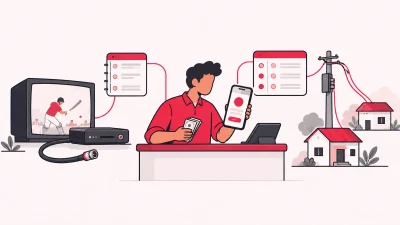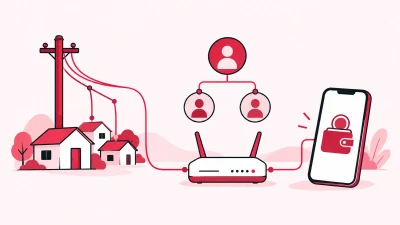
A broadband customer list Excel sheet is a sensible first register for a small shop with one operator and a short customer list. But when you handle online recharges, more than one ISP, partners, devices and staff, ISP billing software such as ISP Square gives you a more dependable operating system.
The practical verdict is simple: keep Excel if it is only helping you remember names and expiry dates. Move to a proper reseller panel when the same customer, payment or device information must be used by more than one person or connected to an ISP recharge.
Quick comparison: Excel register vs ISP billing software
| Option | Best fit | What it handles | The next step to plan for |
|---|---|---|---|
| ISP Square | An operator reselling one or more ISPs and building a partner network | One customer list, online recharge, KYC, stock, wallets, retail pricing and commission | A single operating panel as the shop grows |
| Excel register | A one-person shop starting with a simple list | Customer names, phone numbers, plans, expiry dates and payment notes | A careful manual process for each recharge, partner, device and change |
Excel is not useless. It is cheap, familiar and flexible. The question is whether it is still a list, or whether you are trying to make it act like a customer database, payment ledger, partner wallet and stock register at the same time.
ISP Square: the better fit for a growing reseller
ISP Square is designed for an operator who resells someone else’s broadband service. It connects ISP partner accounts, with OneBroadband and GTPL available today, and puts the work in one panel. Customers, plans and balances sync every minute, so you do not need to maintain a separate customer sheet for each ISP.
The customer experience is also different from an Excel register. You can give a customer a web recharge page; there is no app to install. The customer pays online, the ISP account is topped up, and you can see the result in the operator panel. That takes a recharge from “someone told me they paid” to a record you can check.
The panel also keeps the connected work together:
- One customer list with the connection, plan, expiry, payments and history.
- KYC uploaded to your ISP Square account rather than tied to one ISP. The records stay with you if you leave an ISP.
- A stock trail from store to partner to installed at customer to written off.
- A three-level structure: operator, partner and sub-partner, each with a login, wallet and customers.
- Your own retail price for each plan at each level. The ISP cost stays hidden from partners, and commission is posted to the right wallet on each recharge.
- Staff logins scoped to the screens they need, with every action logged.
For sensitive operating work, the design matters. ISP passwords are stored encrypted and are not shown again. The wallet ledger is append-only, and a timed-out recharge is not blindly retried. These are small details at the counter, but they help you check what happened before you change a balance or ask a customer to pay again.
See the product’s features for operators and partners, then check the current pricing before you choose a plan. Plans start low, but the public pricing pages are the place to confirm what is available now.
What a register does well
A broadband customer register is useful when it stays within its proper job. You can start with columns such as:
| Customer ID | Customer name | Mobile | ISP | Plan | Expiry | Last payment | Device | Partner |
|---|---|---|---|---|---|---|---|---|
| Your own ID | Name used at the shop | Phone number | Upstream account | Plan name | Date | Amount and date | ONU/router note | If applicable |
Excel lets you sort and filter a list quickly. Microsoft’s Excel table guidance explains how to turn a range into a table so that filters and new rows stay easier to manage.
You can also use drop-downs for ISP, plan and status. Microsoft’s data validation guidance shows how to restrict entries to a list, date or number range. That reduces simple typing mistakes when one person maintains the file.
For a small shop, these habits are valuable:
- Use one row per customer, not one sheet per month.
- Keep the customer ID unchanged even when the plan changes.
- Use a real date in the expiry column, not notes such as “next week”.
- Keep a separate payment history instead of overwriting the last payment.
- Make a dated backup before a large edit.
This is a good starting discipline. It does not turn a workbook into an online recharge page or a multi-level wallet system.
Five places an Excel register breaks in a real shop
The problem is usually not Excel itself. The problem is asking one editable file to coordinate several jobs that happen at different times and may involve different people.
- Expiry becomes a manual chase.
An expiry column tells you a date. It does not recharge the customer’s ISP account. Someone must filter the list, contact the customer, receive the payment, open the correct ISP portal, complete the recharge and update the sheet. If the update is missed, the row and the ISP account tell different stories.
- A payment note is not a recharge record.
Writing “UPI received” beside a customer name does not show whether the correct plan reached the correct ISP account. A separate cash book, UPI history and ISP portal may each contain part of the truth. A reseller panel connects the online recharge flow with the customer and operator view.
- Partner commission spreads across tabs.
Once a partner or sub-partner sells a plan, you need to know the retail price, the upstream cost, the commission and whose wallet should receive the entry. In Excel, this often becomes a set of formulas and copied rows. A changed plan or a copied formula can quietly alter the result. ISP Square gives the operator, partner and sub-partner their own wallets and posts commission on each recharge.
- Router and ONU ownership gets unclear.
You may record a device serial number in a sheet, but the important question is its current stage: still in the store, handed to a partner, installed at a customer or written off. A stock flow makes that movement visible instead of leaving it in an old note or a staff member’s memory.
- History and responsibility are easy to overwrite.
A shared workbook can show the latest value, but not always who changed it or why. Excel worksheet protection can stop accidental edits, but Microsoft notes that worksheet protection is not intended as a security feature. When staff need different screens and actions, scoped logins and an action log are a better fit than sending one file around.
Excel register vs ISP billing software: the day-to-day difference
The difference is easiest to see in a normal shop situation.
| Shop task | Excel register | ISP billing software built for a reseller |
|---|---|---|
| Find a customer | Search a workbook or several sheets | Open one customer list with connection, plan, expiry, payments and history |
| Take a recharge | Record payment, then complete another manual step at the ISP | Give the customer a web recharge page and see the operator-side result |
| Manage two upstream accounts | Keep an ISP column and update each portal separately | Connect ISP partner accounts in one panel; OneBroadband and GTPL are available today |
| Share work with partners | Send a file or maintain extra tabs | Give partners and sub-partners their own login, wallet and customer view |
| Calculate the shop margin | Maintain formulas and check copied rows | Set retail price per plan and level; commission posts to the relevant wallet |
| Track a router or ONU | Update a stock column by hand | Follow store → partner → installed at customer → written off |
| Review staff work | Compare versions or ask who edited a cell | Use scoped staff logins and an action log |
The software is not valuable merely because it looks more modern. It is valuable when it removes a repeated hand-off: from customer payment to ISP recharge, from partner sale to wallet commission, or from device issue to installation record.
For a wider buying checklist, read our practical guide to ISP billing software in India for resellers.
Moving your broadband customer list without losing history
You do not need to throw away a working register on day one. Treat the move as a data-cleaning job and keep the original file untouched.
- Create a source copy. Save the current workbook with the date in its filename. Keep the original read-only and work on the copy.
- List the fields you actually use. Start with customer ID, name, mobile, address, ISP, connection, plan, expiry, payment history, device and partner. Add KYC status only if you already track it consistently.
- Clean one row per customer. Remove duplicate rows, fix phone-number formats and use one date format. Do not put two customers in one cell or combine several devices in one vague note.
- Separate current data from history. The current list says what is active now. The payment history says what happened before. Keep both, even if the first upload or entry only needs current details.
- Reconcile the important lists. Compare the customer list with your ISP account, unpaid list, partner allocation and device register. Mark anything that needs a shop-counter check instead of guessing.
- Confirm the field map before entry. Ask the chosen software provider which columns and documents they need, then test the process with a small, checked set of records. Keep the source workbook until names, plans, expiry and devices match.
This approach protects the history that makes your old register useful. It also gives you a clean list instead of carrying years of duplicate rows into a new system.
How to choose between Excel and software
Choose an Excel register when all of these are true:
- One person handles the work.
- You resell one upstream account.
- Customers usually pay at the shop and you update the list immediately.
- You do not need partner wallets, stock stages or staff permissions.
- A missed manual step is easy for you to spot the same day.
Choose ISP billing software when any of these has become normal:
- You resell OneBroadband, GTPL or more than one ISP account.
- Customers need a web page for online recharge.
- You have partners or sub-partners who need their own wallets and customer view.
- You set different retail prices or commissions by level.
- You hand routers or ONUs to partners and need to know where each one is.
- Staff update customer records and you need an action history.
ISP Square also supports monthly, quarterly, half-yearly and yearly app billing, GST invoices, plan changes that credit unused days, and either auto-pay or manual payment. If you start with a trial, review the 15-day option and confirm the current terms before paying.
Starting with ISP Square
Start by writing down the work you want to remove from your register: customer recharges, expiry checking, partner commission, KYC storage, stock movement or staff edits. That list will make the first setup conversation specific.
Then keep your existing Excel file as the source while you organise the new customer and device records. Check that the operator, partner and sub-partner structure matches how your shop actually sells. If you resell an ISP other than OneBroadband or GTPL, tell ISP Square which ISP you work with so the fit can be checked.
Finally, give customers the online recharge route only after you have confirmed the plan and price mapping. Keep your counter process simple: find the customer, confirm the connection, check the recharge result, and let the wallet or history record carry the follow-up.
For a small operator, the best first step is not deleting Excel. It is moving the work that Excel cannot safely coordinate into one panel while preserving the history you already own.
FAQ
Is Excel enough for a broadband customer list?
Excel can be enough for a small, one-person shop that tracks names, plans, expiry dates and payment notes. It becomes harder to control when recharges, partners, devices, staff and more than one ISP must share the same live information.
What columns should a broadband customer list Excel file have?
Use a stable customer ID, name, mobile number, address, ISP, connection, plan, expiry date, payment history, device and partner. Keep one row per customer and store older payments separately so the latest row does not erase the past.
Can I manage multiple ISPs in Excel?
You can add an ISP column and filter the list, but you still need to update each upstream account and reconcile each payment yourself. A reseller panel is more suitable when you want connected ISP accounts, one customer list and one operating view.
When should an LCO move from Excel to billing software?
Move when a second person needs access, you add partners, customers ask for online recharge, or device and commission records take repeated manual work. You do not need to wait for the workbook to become unmanageable; moving while the data is clean is easier.
Can I keep my old Excel history after moving?
Yes, keep the original workbook as a dated, read-only source and clean a working copy. Confirm the field map and history process with the software provider before entering or moving records, then check customers, plans, payments and devices before retiring the old workflow.