A cable tv billing app for broadband may record that a customer paid, but a broadband reseller needs to know whether the correct ISP account was recharged too. For most operators who sell OneBroadband, GTPL or more than one upstream service, a reseller panel is the better main system because it follows customers, plans, expiry, wallets, KYC and devices together.
The choice is not about whether cable TV collection software is useful. It is about whether your daily broadband work ends at a collection entry or continues through an ISP recharge, partner commission and a traceable customer record.
Quick comparison: collection app or reseller panel?
Use this table as a first filter. The exact features of a cable-TV app vary, so confirm them in a live demo before you move customer data.
| Option | Best at | What happens after a broadband payment? | Partner and record control |
|---|---|---|---|
| ISP Square broadband reseller panel | Reselling an upstream ISP from a local shop | Customer pays on a web page, the relevant ISP account is topped up, and the operator can see the result | Operator, partner and sub-partner logins, wallets, retail prices, commission, KYC and stock |
| Cable-TV collection app | Recording TV dues, subscriber payments and collection work | It records the payment if broadband recharge is connected; otherwise an operator still has to complete the ISP step separately | Usually centred on subscriber dues, receipts and collection notes; check for multi-ISP, partner wallets and audit history |
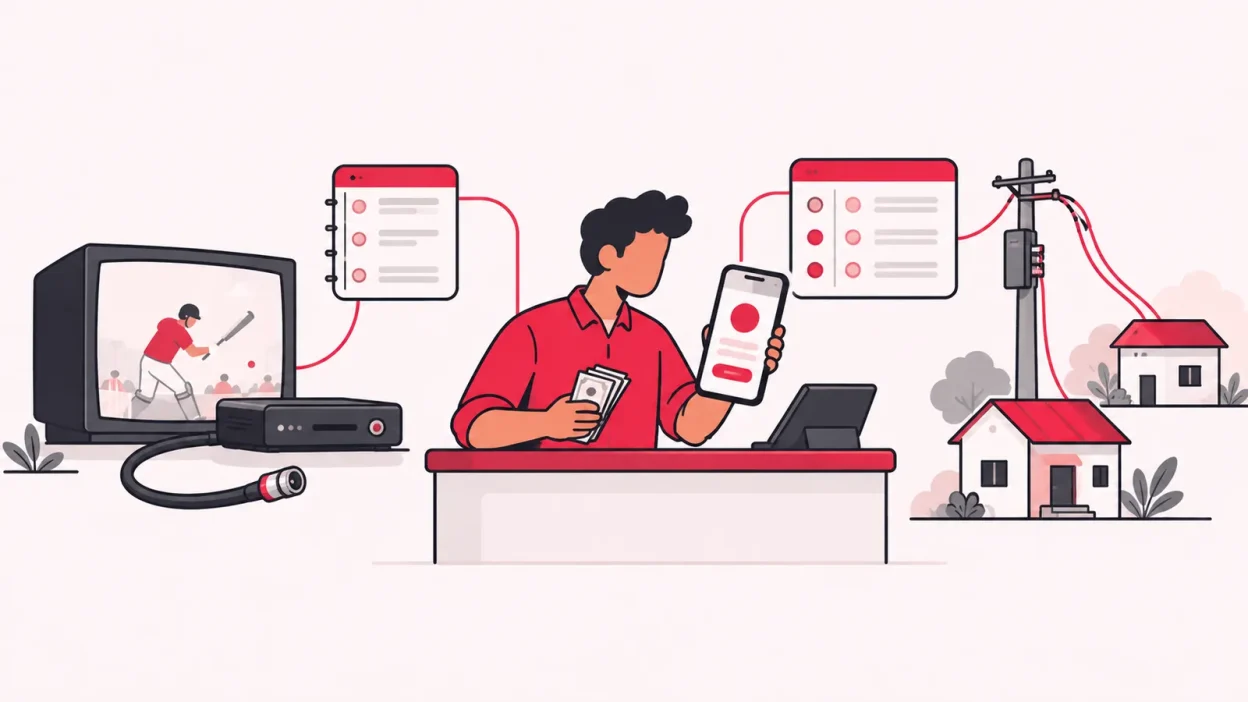
The key question is simple: does the software complete the broadband transaction, or only record that you collected money?
ISP Square broadband reseller panel: built for the work after collection
ISP Square is made for an operator who resells another ISP’s service rather than owning the access network. It connects ISP partner accounts, gives you one customer list, and keeps the commercial work around those accounts in one operator view. Today it connects OneBroadband and GTPL; if you resell another ISP, tell the team which provider you use before planning a new workflow.
The payment has an ISP result
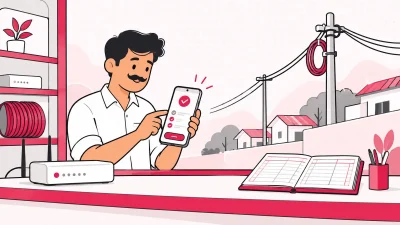
With a reseller panel, the customer can open a web recharge page without installing an app. The payment is tied to the right customer and ISP context, the ISP account is topped up, and the operator can see the recharge.
That is a different test from “can the app accept UPI?” A UPI payment may prove that money changed hands. Your broadband process also needs to show which connection was renewed and when the customer can expect the next expiry.
For a normal shop renewal, the useful sequence is:
- Search the customer in the common list.
- Confirm the serving ISP, connection, plan and current expiry.
- Open the web recharge flow.
- Check the transaction status before repeating any action.
- Confirm the customer payment and recharge history.
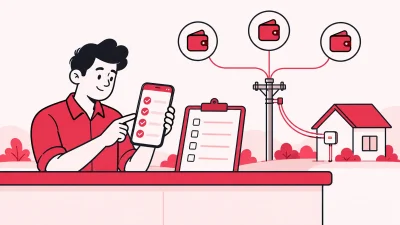
- Check the relevant operator or partner wallet entry.
If a request times out, check its status and ledger before trying again. ISP Square does not blindly retry a timed-out recharge. Its wallet ledger is append-only, so the money trail does not depend on a staff member remembering what happened.
One customer list across connected ISPs
Many local operators keep one notebook for cable customers, one spreadsheet for broadband and a separate login for every ISP. That creates a problem at the counter: the customer calls you, but the answer is spread across several places.
ISP Square keeps one customer list across connected ISPs, with the connection, plan, expiry, payments and history visible in the record. The ISP identity remains clear, so combining the list does not mean pretending that OneBroadband and GTPL are the same account.
If you are comparing the wider market, this reseller guide to ISP billing software in India covers the difference between software for a network owner and software for a local reseller.
Partner wallets and your own selling price
Collection software can show that a partner collected an amount. A reseller panel needs to show how that partner works inside your business.
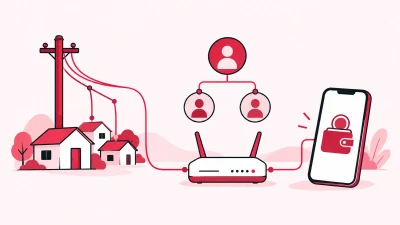
ISP Square supports a three-level tree:
| Level | What the level can have |
|---|---|
| Operator | Connected ISP accounts, overall customer view and commercial rules |
| Partner | Own login, wallet and customer list under the operator |
| Sub-partner | Own login, wallet and customers under a partner |
You can set your own retail price for a plan at each level. The ISP cost stays hidden from partners, while commission is posted to the right wallet on every recharge. This is useful when one partner serves a mohalla and another partner works under that person in a smaller area.
The goal is not merely to add a “commission” column. You should be able to answer who sold the connection, what price was used, which wallet received the entry and which customer payment created it.
KYC stays with the operator account
KYC is another point where a basic collection record is not enough. ISP Square lets you upload KYC to your ISP Square operator account rather than leaving the document only inside one ISP relationship. The record stays with your business if you leave an ISP.
Treat this as an organisation feature, not a legal shortcut. The document and verification process you need depends on your ISP and situation. TRAI has published material on e-KYC for fixed-line, internet and broadband connections; check the TRAI e-KYC document, your ISP’s process and your CA before deciding what to collect.
Devices have a proper trail
Broadband brings physical stock into the daily work. A router or ONU may sit in the shop, move to a partner, be installed at a customer, and later be written off. A payment register does not tell you where that device is.
ISP Square follows the stock path:
store → partner → installed at customer → written off
Record the device beside the customer and connection. This gives you a practical answer when a partner asks for another ONU or when you check whether an item is still available.
Staff can work without sharing the owner login
Staff logins can be scoped to the screens each person needs, and every action is logged. A cashier can work with customers and recharge screens, while the owner keeps control of ISP credentials, partner pricing and other sensitive areas.
ISP passwords are stored encrypted and are not shown again. That is important in a small shop where several people may help with renewals but should not be able to copy the upstream login.
Review the ISP Square features and the operator workflow to see how these jobs fit together.
What a cable-TV collection app is built for
A cable-TV collection app is normally centred on subscriber dues and the collection routine. It can be a sensible fit when your main job is to maintain a TV subscriber list, mark monthly payments, issue or record receipts, and follow up with households that have not paid.
The official GTPL Digital TV page shows the kind of TV-plan context a cable operator may manage: channel packages, customer sign-in and plan-related service information. A collection workflow around that service is not automatically the same as a broadband-reseller workflow.
Where it helps
A cable collection tool can suit these tasks:
- Recording a household, address and TV service details.
- Marking a monthly or cycle-based due as paid.
- Giving a collection worker a list of homes to visit.
- Keeping receipt or payment notes for the TV service.
- Following up on outstanding dues.
That work matters, especially if cable TV is still an important part of your shop. You do not need to remove it simply because broadband has grown.
The broadband questions it may not answer
Before using the same app for broadband, ask the vendor to show each answer with a test customer:
- Which upstream ISP account receives the recharge?
- Can one customer list show connections from multiple ISPs without merging their identities?
- Does the plan expiry update after the ISP result is confirmed?
- Can a partner or sub-partner have a separate wallet and login?
- Can you set a different retail price at each level?
- Where do KYC documents live if you change ISP?
- Can you track an ONU or router from store to installation?
- Is there an action log and a clear treatment for a timed-out recharge?
If the answer is “the operator records it manually”, you have a collection register with an extra step. That may be fine for a small, single-ISP operation, but it leaves the broadband part dependent on another portal, notebook or staff message.
Broadband adds more than another bill
The word “billing” makes cable and broadband tools look similar. The underlying work is different in four important ways.
1. A broadband payment changes an upstream account
For TV, you may need to record that the customer paid for a package or billing cycle. For resold broadband, you also need the right ISP partner account to be topped up. The customer connection, upstream ISP and expiry must remain linked.
2. A broadband sale can pass through partner levels
An operator may sell directly, use partners, or let a sub-partner serve a smaller area. Each level needs its own login, wallet and customer view. Your retail price and commission rule can differ by level.
3. Broadband needs device accountability
The customer may have an ONU or router that was issued from your shop. That item has a business history separate from the payment history. Track it from store to partner to installed customer so the next handover is clear.
4. Broadband records often need a longer business view
Customer payments, recharge history, KYC, plan expiry, partner commission and stock are useful together when a customer returns after several months or a partner asks about an older transaction. A single “paid” flag does not provide that context.
Side-by-side table for a real shop workflow
Use the rows below when you compare a cable-TV collection app with a broadband reseller panel. The point is to compare the complete job, not only the home-screen design.
| Daily job | Cable-TV collection app | Broadband reseller panel |
|---|---|---|
| Take an online payment | May record the payment if the app supports online collection | Customer uses a web recharge page; the relevant ISP account is topped up and the operator sees it |
| Check who serves the customer | Usually centred on the TV subscriber record | Customer, connection, plan, expiry and serving ISP stay together |
| Manage two upstream ISPs | Confirm whether multi-ISP accounts are supported | ISP Square currently connects OneBroadband and GTPL in one operator view |
| Pay a partner commission | May require a separate register or rule | Retail price and commission can be set per plan and level, with wallet entries on recharge |
| Store KYC | Check where documents are kept and who owns the account | KYC is uploaded to the operator’s ISP Square account |
| Track a router or ONU | Check whether stock stages exist | Store, partner, installed at customer and written-off stages are supported |
| Handle staff access | Check for screen-level permissions | Staff logins are scoped to screens and actions are logged |
| Resolve a timed-out recharge | Ask how the app prevents duplicate action | Check status and ledger before any new action; no blind retry |
This table does not mean every cable-TV app has the same feature set. It tells you what to verify. A vendor that supports both TV and broadband may cover many rows; ask it to demonstrate the upstream account, partner wallet and device trail rather than relying on a feature label.
When to keep both and when to move
You can keep a cable-TV collection app for TV while moving broadband work to a reseller panel. This is often the cleanest choice when the two services have different plans, payment cycles or staff routines.
Keep the collection app as a TV system when
- Most of your daily follow-up is for TV dues.
- Your collection staff already use it for household visits and receipts.
- It does not claim to replace the upstream broadband account.
- You can keep the TV customer and broadband connection clearly identified.
Use a reseller panel as the broadband system when
- You resell OneBroadband, GTPL or more than one upstream ISP.
- Customers need online recharge without installing an app.
- You want one customer list with plan and expiry history.
- Partners or sub-partners need their own wallets and logins.
- You issue routers or ONUs and need to know their latest location.
- You want staff access and a record of actions.
Use both with one simple rule
Decide which system is the source of truth for each service. Keep TV dues and collection notes in the TV workflow. Keep broadband connections, ISP recharges, broadband expiry, partner commission, KYC and devices in the reseller workflow.
Do not make staff update the same broadband payment in two places unless there is a clear reconciliation step. Duplicate entry is where wrong expiry dates, missing wallet entries and unclear follow-ups begin.
Moving broadband to ISP Square
Start with a small, checkable group instead of importing every old note at once.
- List each upstream ISP account, customer connection, plan and expiry.
- Separate TV-only customers from broadband customers and households with both services.
- Connect the authorised OneBroadband or GTPL partner account.
- Add a few customer records and check the ISP, plan and expiry.
- Test one web recharge and confirm the payment, ISP result and history.
- Add one partner and check the wallet, retail price and commission entry.
- Record one router or ONU through the stock stages.
- Give staff only the screens needed for their jobs.
The ISP Square pricing page has the current plan information. Plans start low; check the live page before you choose because the available options and limits can change. If you are ready to review the workflow, use the get started page.
Success looks like: one customer search shows the right ISP, plan and expiry; one payment can be followed through recharge and wallet history; one device has a known stage; and each staff member can do the assigned work without sharing the owner login.
Questions to ask before you choose
Ask the vendor to answer these with your own broadband example:
- Does payment lead to a recharge in the correct upstream ISP account?
- Can I see OneBroadband and GTPL customers in one list while keeping each ISP clear?
- Can I create operator, partner and sub-partner wallets?
- Can I set my own retail price and keep the ISP cost hidden from partners?
- Where are KYC documents stored if I leave an ISP?
- Can I trace a device from store to customer?
- What do I do when a recharge times out?
- Can I see who changed a customer, wallet or stock record?
If a cable-TV collection app answers all of these with a real broadband demonstration, it may cover both jobs. If it only records a payment, use it for collection and choose a reseller panel for the ISP work.
FAQ
Is a cable-TV billing app enough for broadband?
It can be enough for recording broadband dues when you have a simple, single-ISP routine and complete the upstream work separately. For reseller operations, check for real ISP recharge, expiry, partner wallet, KYC, stock and audit features before treating it as your main system.
What is the difference between a collection app and a reseller panel?
A collection app focuses on recording money received and following up on dues. A reseller panel connects that payment to the upstream ISP account, customer connection, expiry, partner commission and other records needed to run broadband resale.
Can I keep my cable-TV app and use ISP Square for broadband?
Yes. Keep TV dues and TV collection work in the system built around that service, and keep broadband recharges, ISP accounts, wallets, KYC and devices in ISP Square. Set a clear source of truth for each service so staff do not enter one broadband payment twice.
Does ISP Square support OneBroadband and GTPL?
Yes. ISP Square currently connects OneBroadband and GTPL partner accounts, with customers, plans and balances syncing in the operator view. If you resell another ISP, tell the team which provider you use before changing your process.
Do broadband customers need to install an app to recharge?
No. ISP Square provides a web recharge page, so a customer can pay online from a browser. The operator can see the recharge and keep it with the correct ISP and customer record.