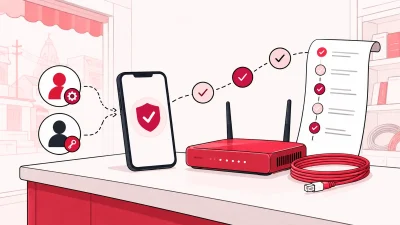
ONU stock management helps a broadband operator know which router or ONU is in the shop, with a partner, installed at a customer, or written off. A simple four-stage process gives every device an owner and a next action, so your stock register stays useful when devices move outside the shop.
What you need before you start
You do not need a large warehouse to begin. You need one source of truth and a rule that every movement is recorded before the device leaves the person holding it.
Prepare these items:
- A list of the ONU and router models you buy or issue.
- The serial number, MAC address, or another unique identifier printed on each device. Use the same identifier every time.
- Your store location, partner list, and customer list.
- A clear condition note, such as new, working, damaged, or written off.
- A person responsible for checking the record at the end of the day or week.
For devices that may need to be traced individually, a unique identifier matters. GS1’s traceability guidance explains the difference between identifying a product type and identifying one specific serialised item. Read the GS1 traceability standard for the underlying identification approach.
Do not try to solve this by adding more columns to several old spreadsheets. Start with one register. If two people maintain separate lists, the first handoff will create two different answers about the same device.
Where ONUs and routers go missing
Most stock gaps happen between two clear events. The device was received, but nobody recorded the serial. A partner collected three units, but only two were linked to a customer. An old router was swapped and left in a drawer without a final status.
The common weak points are:
- Receiving: the carton is counted, but individual devices are not identified.
- Issue to a partner: the handover is done on a phone call or paper note.
- Installation: the device reaches the customer, but the register still says it is with the partner.
- Damage or replacement: the old unit is kept aside and quietly disappears from the active count.
- Reconciliation: nobody compares the physical shelf with the register.
The fix is not a complicated warehouse policy. Make the next state obvious and assign a person to complete it. A device should never sit in an unnamed middle state such as “taken for field work”.
The four stages of a device
Use the same four stages for every ONU and router. The stage tells you where to look and what action is expected next.
| Stage | What to record | Who should confirm it |
|---|---|---|
| Store | Device identifier, model, condition, and date received | Operator or store staff |
| Partner | Partner receiving the device and handover date | Operator and partner |
| Installed at customer | Customer connection and installation date | Partner or installer |
| Written off | Reason, date, and approving person | Operator |
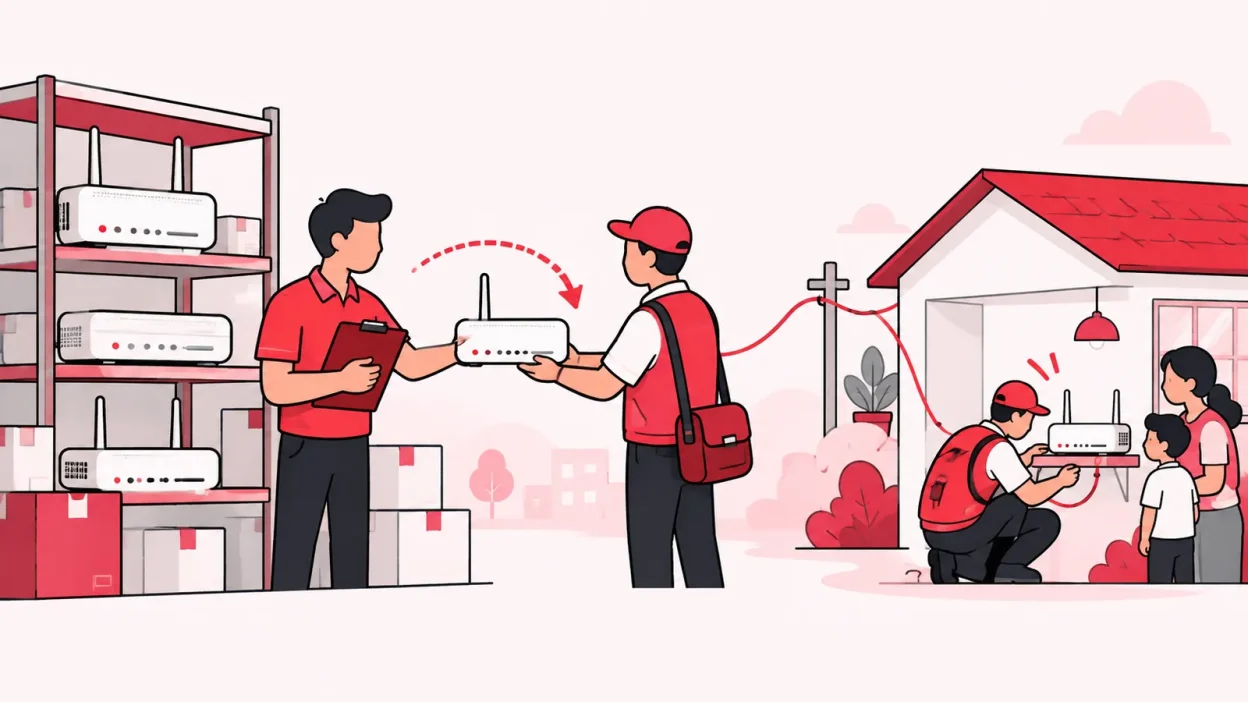
This is also the stock path supported by ISP Square: store → partner → installed at customer → written off. The goal is to make the current location clear, not to create a long story that staff will skip.
NIST’s hardware asset guidance uses a similar principle: an inventory should accurately reflect the current system, contain enough detail for tracking and reporting, identify the information needed for accountability, and be reviewed and updated at a defined frequency. See the NIST hardware asset management guidance.
Step 1: Create a device register
Why this matters: A model count tells you how many units you bought. A device register tells you where each physical unit is.
Start with one record for each ONU or router. Capture:
- Device type and model.
- Serial number and, where useful, MAC address.
- Date received and supplier reference, if you keep one.
- Current stage: store, partner, installed at customer, or written off.
- Current holder or linked customer.
- Condition and a short note for unusual cases.
Use the identifier printed on the device, not an identifier typed from memory. If the label is hard to read, check it twice before saving the record. A single transposed character can make a returned device look like a new one.
Success looks like: you can pick any device from the shelf and find one matching record without asking a partner or technician.
Step 2: Put received devices in the store stage
Why this matters: Your available stock is only reliable when newly received devices enter the register before issue.
When a carton arrives:
- Count the boxes against the delivery note.
- Open enough boxes to capture each device identifier.
- Check the model and visible condition.
- Add each device to the register with the stage store.
- Keep the devices together until the record is complete.
If a delivery contains multiple models, do not combine them into one generic “router” line. A partner asking for a particular device should be able to see the correct model and available quantity.
Success looks like: the physical shelf count and the store-stage count agree after receiving.
Step 3: Hand devices to partners
Why this matters: The handover is the point where stock leaves your direct control, so the partner and quantity must be clear.
Before handing over a device or a batch:
- Select each device by its identifier.
- Select the partner receiving it.
- Confirm the date and the number of devices.
- Change the stage from store to partner.
- Keep the handover note or reference with your daily records.
Do not mark devices as installed just because a partner collected them. The partner stage answers an important question: which units are outside the shop but not yet connected to a customer?
If you hand devices to a sub-partner through a partner, keep the responsible person visible in your own process. The stock rule should be the same at every level: the person receiving a device confirms the handover, and the device remains traceable until installation.
Success looks like: you can ask a partner for the identifier of every uninstalled unit they hold, without recounting the entire shop.
Step 4: Move the device to an installed customer
Why this matters: An installed device is no longer spare stock. Linking it to a connection makes future replacement and recovery easier to understand.
After installation:
- Open the device record.
- Confirm the identifier against the label on the installed unit.
- Link it to the customer connection.
- Add the installation date and a short note if the device replaced another unit.
- Change the stage to installed at customer.
Use the customer connection as the reference, not only a person’s name. Names can repeat, while a connection record gives staff a more dependable way to find the installation.
When a customer changes device, update the old and new records in the same work session. Do not leave both devices marked as installed for the same connection. One should show its actual final stage according to your process.
Success looks like: support staff can answer which device is installed for a customer without calling the installer.
Step 5: Write off damaged stock
Why this matters: Damaged hardware should leave the available-stock count with a reason, not vanish from the register.
Use a written-off stage when a device is no longer suitable for your operating stock. Before changing it:
- Confirm the identifier and model.
- Record the reason in plain words, such as failed power input or physical damage.
- Add the date and the person who approved the write-off.
- Change the stage to written off.
- Keep the device physically separate from working stock.
Do not delete the record. The point of a write-off is to preserve the history while removing the unit from the stock you can issue. If a returned device can be tested and used again, follow your internal approval process before putting it back into store stock.
Success looks like: your active store and partner counts exclude written-off units, while a manager can still see why a device left service.
Step 6: Reconcile the register
Why this matters: A register becomes trustworthy through regular comparison with the real shelf and field records.
Choose a fixed review rhythm that your shop can maintain. During each review:
- Count store-stage devices by model.
- Check a sample of partner-held devices with each partner.
- Confirm that recent installations have moved out of partner stock.
- Review new write-offs and their reasons.
- Investigate every difference before starting the next cycle.
If the physical count is higher than the register, add the missing records only after checking where they came from. If the register is higher, do not simply reduce the number. Find the last handover or installation and correct the device’s stage.
Keep the review simple enough to repeat. A smaller check done consistently is more useful than a large annual count that leaves months of unclear movements.
Stock tracking in ISP Square
ISP Square is designed for an operator who resells one or more ISP accounts and needs stock, customers, partners, and recharges in one working view. Its stock flow follows the four stages in this guide: store, partner, installed at customer, and written off.
The practical benefit is that stock does not have to live in a separate register from the partner structure. You can hand devices to a partner, keep the customer connection in the same operator account, and see which stage needs attention. This fits the wider ISP Square feature set, which also covers the shared customer list, partner wallets, and staff access.
For operators comparing tools, choose a system that matches your business model. Network-owner platforms may focus on equipment, provisioning, or RADIUS operations. A reseller needs a simpler question answered: which device is with my store, my partner, or my customer, and what should happen next?
If you are also organising collections and recharges, read our practical guide to ISP billing software for Indian resellers. Stock records work best when they sit beside the customer and payment workflow.
See the current ISP Square plan information before choosing a plan. Plans start low, and the live pricing page is the right place to check the current options.
Verify your stock process
Run this short test with one device from each stage:
- Store: Can you find the identifier and model on the shelf?
- Partner: Can you name the partner holding it and the handover date?
- Installed at customer: Can you find the linked customer connection?
- Written off: Can you explain the reason and approval date?
Then ask a second person to repeat the test. If they need a private notebook or a phone call to understand a device’s location, the record needs one more update.
Troubleshooting common stock problems
The serial number is unreadable
Check the box, device label, and purchase record together. If the original identifier cannot be confirmed, give the unit a clearly marked internal reference and record why you used it. Do not create two records for the same physical device.
A partner says the register is wrong
Compare the partner’s physical devices with the handover list one by one. Correct the stage only after matching identifiers. Avoid changing a batch count without finding the specific device that caused the difference.
A device was installed but still shows with a partner
Update the device as part of the installation closeout. Add the customer connection and date, then check whether the partner’s remaining stock still matches the physical count.
A damaged device is mixed with working stock
Move it to a separate holding area immediately and mark the reason for review. Once the decision is made, record it as written off or return it to store stock through your normal approval process.
Staff keep forgetting the handover
Make the handover the first action, not an end-of-day memory task. Give staff scoped access to the screens they need and review the action record regularly so the process has a clear owner.
FAQ
What is ONU stock management?
ONU stock management is the process of recording each ONU or router, its current stage, and the person or customer responsible for it. For a broadband operator, the useful stages are store, partner, installed at customer, and written off.
Should I track routers by serial number?
Yes, when the device has a unique serial number or another reliable identifier. A model-level count cannot tell two identical routers apart, while a device-level record lets you follow one unit through each handoff.
How do I track ONU devices given to partners?
Record the device identifier, partner, handover date, and partner stage before the device leaves your store. Move it to installed at customer only after the installation is confirmed.
What should I do with a damaged ONU?
Keep the device record and write down the reason, date, and approving person. Move it to written off when it is no longer part of your available stock, and keep it separate from working devices.
Can one system manage stock and broadband partners?
Yes. ISP Square connects the stock path with the operator, partner, sub-partner, customer, and wallet structure. That gives a reseller one place to manage the device journey instead of maintaining a separate stock register for each partner.