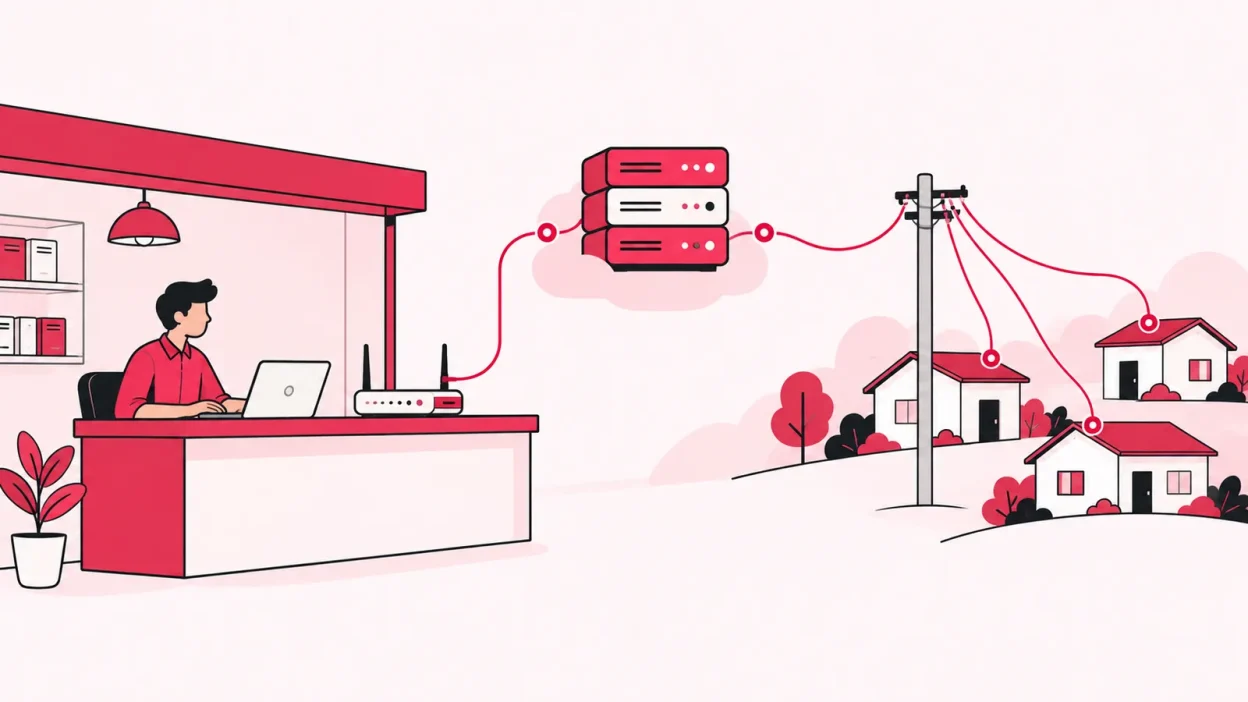
A radius server for broadband reseller work is usually part of the upstream ISP’s network, not a separate server you need in your shop. If you resell an ISP’s existing broadband service, that ISP normally controls the access equipment and the RADIUS authentication behind it; your bigger job is managing customers, recharges, KYC, partners and collections.
What RADIUS does in one paragraph
RADIUS stands for Remote Authentication Dial-In User Service. It is a protocol that lets a network access device ask an authentication server whether a user may connect and what service settings should apply. The standard describes it as communication between a Network Access Server (NAS) and a shared authentication server.
In a broadband network, the NAS may be a broadband remote access server, broadband network gateway or another device that terminates subscriber sessions. When a customer’s router starts a PPPoE session, the access device can send an Access-Request with the customer credentials and network details. The RADIUS server returns an Access-Accept, Access-Reject or, in some cases, an Access-Challenge. The RADIUS standard, RFC 2865, documents this request-and-response model.
RADIUS can also carry authorisation and configuration information. For example, the response can tell the access device which service or policy to apply. A separate accounting exchange can record session events and usage details. RFC 2866 describes accounting requests sent by a NAS or proxy to an accounting server.
The important point is that RADIUS is not the internet connection itself. It is the control conversation around access:
| Part | Job in a broadband setup |
|---|---|
| Customer router or ONU | Starts the connection using details supplied by the ISP or operator |
| NAS, BRAS or BNG | Receives the connection request and talks to RADIUS |
| RADIUS server | Checks identity and returns access or service information |
| Accounting system | Receives session start, stop or usage records when configured |
| Billing or reseller panel | Manages plans, payments, recharges, customers and business records |
That last row is why a RADIUS server and a reseller billing panel should not be treated as the same product. RADIUS can help an ISP control network sessions. It does not, by itself, give you an online recharge page, a partner wallet or a clean customer list.
Who runs RADIUS in a reseller setup
Consider a common shop-counter arrangement. You buy or resell broadband access from an upstream ISP. The ISP owns or controls the wider access network, the subscriber authentication rules and the equipment that accepts the customer’s connection. You handle local sales, installation coordination, collections and customer support.
The connection path usually looks like this:
- Your customer switches on the router or ONU and it starts a broadband session.
- The ISP’s access equipment receives the request.
- That equipment sends the authentication request to the ISP’s RADIUS or AAA system.
- The access system applies the result and establishes the service if the request is accepted.
- Session records may be sent to the ISP’s accounting system.
In that model, the RADIUS client is the upstream network’s access device. Your shop computer, customer list or recharge page is not the RADIUS client just because it manages broadband customers. The client-server division is simple: the NAS sends requests, while the authentication server processes them and returns a response.
This is also why installing FreeRADIUS on a cloud VPS does not automatically authenticate customers on somebody else’s network. Your server would need a reachable RADIUS client, a shared configuration, customer credentials and permission from the network owner. Without control of the relevant access equipment, your new server has no useful place in the connection path.
The exact arrangement can differ. Some providers use PPPoE, some use other access methods, and some give a reseller only a portal or account interface. Ask the ISP one practical question: “Do I control the access device and subscriber authentication, or do you authenticate the connections for me?” The answer tells you whether RADIUS belongs in your technical setup.
Why an ISP may use RADIUS for broadband
For the network owner, central authentication is useful when many access devices must follow the same subscriber rules. The access device can send a request, the authentication service can check the account, and the response can include the permitted service information.
Broadband equipment can also attach access details to a request. For example, a BRAS can include a circuit or port identifier in RADIUS authentication and accounting messages. Cisco’s broadband documentation shows how a PPPoE access device can pass circuit information to a remote AAA server in these requests. That is a network-owner task because the BRAS and the access links are part of that operator’s infrastructure.
RADIUS therefore helps answer questions such as:
- Are these connection credentials valid?
- Should this session be accepted or rejected?
- Which service attributes should the access device apply?
- What session event should be recorded?
It does not answer the business questions that occupy a local reseller every day:
- Which customer paid by UPI this morning?
- Which partner sold the connection?
- What retail price should each level see?
- Which ONU or router is installed at which address?
- Which ISP account and plan does this customer use?
Those questions need business software and a process that your staff can follow.
When you would need your own RADIUS server
You may need your own RADIUS service when you are also operating the access network that authenticates subscribers. The deciding factor is not the label “reseller”. It is who controls the NAS, the subscriber credentials and the service policy.
Your own RADIUS setup may make sense in these situations:
- You run your own access network. You operate the relevant broadband gateway, router, hotspot controller or other NAS and want it to query your own authentication service.
- Your wholesale agreement delegates authentication to you. The upstream provider gives you a defined RADIUS integration, credentials and the network details needed to connect it securely.
- You provide a separate managed network. A business Wi-Fi, hotspot, VPN or campus network may use RADIUS even when your residential broadband customers do not.
- You need network policy control at your own edge. If your equipment must apply subscriber-specific access or speed policies, confirm the design with the equipment vendor and upstream ISP before buying a server.
In all four cases, treat it as a network project. You need to plan the NAS-to-server path, shared secrets, firewall rules, user store, logging, backups, timeouts and support ownership. You also need a safe test customer and a rollback plan before changing live access.
Do not buy a “cloud RADIUS” plan simply because the product page includes the word broadband. First draw the path from the customer’s router to the device that actually decides whether the session is allowed. If that device is owned and managed by the upstream ISP, ask for its supported integration instead of creating a parallel authentication system.
What a reseller needs instead
Most local resellers need a clear operating panel around the ISP connection, not another AAA server. Your checklist should cover the work that happens before and after the upstream network authenticates a subscriber.
1. One customer view across ISP accounts
If you resell more than one ISP, a single customer list reduces the need to search separate portals. Keep the connection, plan, expiry, payments and history together, with the ISP account clearly shown for each customer.
2. A simple online recharge route
Customers should be able to open a web page, pay online and have the relevant ISP account topped up. You should then see the recharge in your operator view. This is different from RADIUS accounting: one records network sessions, while the other supports customer payment and renewal work.
3. Partner and sub-partner controls
If you sell through a local partner network, you need separate logins, wallets and customer ownership. You may also need your own retail price for each plan and level, while keeping the upstream cost away from partners. A RADIUS server is not designed to manage this sales hierarchy.
4. KYC and document ownership
Store customer KYC documents under your operator account according to your ISP’s process and applicable requirements. This helps you keep an organised record when a customer changes plan or when you work with more than one ISP. For regulatory questions, check the official requirement with your ISP and your CA or legal adviser.
5. Stock and device tracking
Record the movement of an ONU or router from your store to a partner, then to an installed customer, and finally to a written-off or returned state. This prevents a device register from becoming a loose notebook entry.
6. Staff permissions and an audit trail
Give staff access only to the screens they need and keep a record of important actions. This is especially useful when more than one person collects payments, assigns devices or edits customer details.
If you are comparing the wider category, see our practical guide to ISP billing software in India for resellers. The useful comparison is not “which panel includes a RADIUS logo?” It is “which daily reseller tasks does the panel make clear and traceable?”
ISP Square for resellers
ISP Square is built for the layer above the upstream network. It connects ISP partner accounts, currently OneBroadband and GTPL, and brings customers, plans and balances into one operator view. The product is aimed at operators who resell someone else’s network rather than owners who are building their own NAS and AAA stack.
For a reseller, the practical pieces are:
- one customer list across connected ISP accounts;
- a web recharge page for customers, with the recharge reflected in the operator account;
- KYC documents held under your ISP Square account;
- a three-level operator, partner and sub-partner tree;
- wallets, your own retail price per level and commission posting on recharges;
- staff logins scoped to screens, with actions logged; and
- stock movement from store to partner to installed customer to written off.
The Growth plan is the natural fit when you are managing several ISP accounts and partner levels. It is also the right type of tool when your problem is scattered recharges, partner balances and customer records rather than subscriber authentication at the network edge. See the ISP Square features, read the common questions, and check the current pricing before choosing a plan.
Keep the boundary simple: let the upstream ISP run the RADIUS and access infrastructure it controls, and use your reseller panel to run the customer and partner business around that connection.
A quick decision checklist
Ask these questions before paying for a RADIUS server:
| Question | If the answer is “yes” |
|---|---|
| Do I own or directly control the NAS, BRAS, BNG or hotspot gateway? | RADIUS may be part of your network design. |
| Has the upstream ISP given me a RADIUS endpoint and integration details? | Follow its approved design and support process. |
| Am I only selling an ISP’s existing access service? | I usually need the ISP’s portal or reseller software, not my own RADIUS. |
| Is my real problem recharge collection, partner commission or customer records? | Choose business software that handles those workflows. |
| Do I need to authenticate a separate Wi-Fi, VPN or managed network? | Treat that as a separate RADIUS use case. |
The first two answers identify a technical network requirement. The other answers usually point to an operations requirement.
Common mistakes
Confusing RADIUS with billing
RADIUS may carry authentication and accounting messages, but it is not automatically an invoice, UPI collection page or partner ledger. Check the product’s actual workflow before assuming those features are included.
Thinking a server can authenticate a network by itself
A RADIUS server needs a configured client, normally a NAS or another access device, and a compatible exchange between them. A server on the internet cannot take over an ISP’s subscriber authentication without the ISP’s network integration and permission.
Putting recharge status inside the RADIUS decision
Your billing or recharge system may tell you whether a renewal was paid. The RADIUS system may then receive updated subscriber data from the network owner’s systems. Do not assume that installing a second RADIUS server will connect those two processes automatically.
Buying for a future network you do not yet operate
If you plan to build your own access network later, design it with the equipment vendor and upstream provider at that time. For today’s reseller work, first fix the customer, recharge, KYC, device and partner records that slow down the shop.
FAQ
What is RADIUS in broadband?
RADIUS is a protocol used between a network access device and an authentication server. It can carry authentication, authorisation and configuration information, while a related accounting exchange can carry session records.
Do broadband resellers need a RADIUS server?
Usually not when the reseller is using an upstream ISP’s access network and selling its existing service. The upstream ISP normally controls the NAS or broadband gateway and the RADIUS system; the reseller needs an approved portal or operations panel for customers and payments.
Is a RADIUS server the same as radius billing software?
No. RADIUS handles network access messages, and accounting can record session information. Billing or reseller software handles plans, payments, recharges, customers, KYC, partners and commission workflows.
Can I use cloud RADIUS for my ISP reseller business?
Only if the network access device you control is configured to use it, or your upstream ISP has approved that arrangement. Ask who controls subscriber authentication and request the supported integration before buying a cloud service.
What should I use instead of a RADIUS server as a reseller?
Use a system that keeps your ISP accounts, customers, online recharges, KYC, stock, partner wallets and commission records organised. ISP Square is designed for that reseller layer; see the current plans and confirm which option fits your operation.
DONE do-broadband-resellers-need-radius-server words=2268