An isp billing software free trial is useful only when you test the daily work you actually do at your shop. In a short, controlled trial, connect an ISP account, complete one recharge, add a partner, and check how KYC and records are handled before choosing a paid plan.
What to test in a trial
Do not spend the trial clicking every menu. Test one complete customer journey from the operator’s side. You want proof that the panel fits your business, not a long list of features you may never use.
| Test | What to check | A good result |
|---|---|---|
| ISP connection | Your partner account can be connected securely | Customers, plans and balances are visible in one place |
| Customer recharge | A customer can pay through the online page | The ISP account is topped up and the payment is recorded |
| Partner workflow | A partner can log in and manage assigned customers | Wallet, customer access and commission are clear |
| KYC record | Documents can be stored under your account | Your record is not tied only to one upstream ISP |
| Staff control | Staff access can be limited to the right screens | Actions are logged for later checking |
| Billing | You can see the billing period, invoice and change options | You understand what you will pay and when |
ISP Square is designed for operators who resell an ISP’s network. It connects partner accounts, rather than asking you to run your own network, RADIUS server or subscriber infrastructure. Today, the site lists OneBroadband and GTPL connections; if you resell another ISP, ask before you commit.
What you need before starting
Prepare these items so the trial measures your real workflow:
- The partner-account details for the ISP you want to connect. Start with OneBroadband or GTPL if that is what you resell today.
- One test customer or a customer who has agreed to help you check a recharge. Do not use somebody else’s account without permission.
- A phone or laptop with access to your usual payment method. UPI is a practical way to test an online recharge; NPCI explains the basic UPI flow and PIN safety in its official UPI FAQs.
- A partner or staff member who can test a separate login, if you use partners or staff at your shop.
- A sample document or an approved test case for the KYC screen. Avoid uploading a real identity document just to explore a menu.
Keep your current notebook, spreadsheet or ISP portal available during the test. It gives you a simple reference for checking names, plans, balances and dates.
Step 1: Connect your ISP account
Why this matters: If the connection is not correct, every later test is misleading.
Open the ISP Square trial page and follow the account-creation steps. Choose the trial option shown on the current page, then connect the ISP partner account that you use for your shop. Start with one account so you can follow each record from the first screen.
Check these items after the connection:
- Your customer list appears in one place.
- Each customer has the expected connection, plan and expiry information.
- The available balance or wallet information matches your ISP record.
- The account is connected to the correct upstream ISP.
- You can find payment history without opening several different portals.
ISP Square says that connected customer, plan and balance information syncs every minute. The useful test is not a stopwatch. Compare a few known records and confirm that the information is usable for your next customer call or recharge.
What success looks like: You can open one customer, identify the ISP connection, see the plan and expiry, and understand where the next recharge will be recorded. The ISP password is stored encrypted and is not shown again, so keep it out of notebooks and chat messages.
Step 2: Complete one real recharge
Why this matters: An online recharge is the core test for whether the software saves you work at the counter.
Use the online recharge page with a test customer or a customer who has given permission. Follow the same path a customer would use:
- Open the customer-facing recharge page.
- Enter or select the correct customer and plan.
- Confirm the amount and customer details before paying.
- Complete the payment using your normal online method.
- Check the result in the operator panel and in the connected ISP account.
- Check the customer’s payment history and expiry information.
The expected flow is simple: the customer pays online, the ISP account is topped up, and you can see the transaction. Write down the customer identifier, payment time and result while testing. That makes it easier to compare the operator view with the customer’s receipt.
If a payment takes time to show a final status, let the status checks guide the next step. Review the payment status, customer history and wallet ledger first, then contact support if the status is still unclear.
What success looks like: One payment is attached to the right customer, the recharge reaches the connected ISP account, the expiry or plan information updates as expected, and the ledger has one clear entry.
Step 3: Add a partner and check the wallet
Why this matters: A reseller needs more than customer billing. You also need to know whether another person can sell under your business without sharing your main login.
Create one partner or sub-partner for the test. Use a test account if you are only exploring the workflow. Check the three-level structure: operator, partner and sub-partner. Each level should have its own login, wallet and customer view.
Now test a small partner workflow:
- Assign a test customer to the right partner.
- Open the partner’s view and confirm that the assigned customer is visible.
- Check that the partner does not need your operator password.
- Set or review the retail price for the plan at that level.
- Check where the ISP cost is kept private from the partner.
- Complete a recharge and confirm that commission is posted to the correct wallet.
- Review the wallet ledger after the transaction.
This is where a generic customer register often stops being useful. You need to see who owns the customer relationship, what price applies at each level and how the wallet changes after payment. ISP Square supports your own retail price per plan per level, with commission posted to each wallet on every recharge.
What success looks like: Your partner can use a separate login, see only the customers assigned to that level, and receive the correct wallet entry after a test recharge. You can still see the full operator-side record.
Step 4: Upload or review a KYC record
Why this matters: KYC should remain part of your business record, even when an upstream ISP relationship changes.
First inspect the KYC workflow with a permitted sample. If you need to use a real subscriber document, get the subscriber’s permission and follow the collection and retention process required by your ISP and your own compliance adviser. This article does not decide which document is legally required for your situation.
Check where the document is stored, who can open it and whether it is attached to the correct customer. ISP Square stores uploaded KYC under the operator’s ISP Square account rather than under the upstream ISP account. The stated benefit is that your record stays with you if you leave an ISP.
Also test the practical side:
- Can you find the KYC record from the customer profile?
- Can a limited staff login avoid screens it should not access?
- Is the partner’s access limited to the records assigned to that partner?
- Can you tell who performed an action from the activity log?
What success looks like: You know where the KYC record lives, who can access it, and how to find the customer history again without searching through WhatsApp or paper files.
Step 5: Check staff access and the audit trail
Why this matters: A trial should test the work your staff will do, not only the work you do as the owner.
Create a limited staff login if your workflow needs one. Give it only the screens required for the job, such as customer lookup or recharge review. Ask the staff member to repeat one safe test action, then review the activity record from the operator account.
Look for three things:
- The staff member can complete the assigned work without using your password.
- The staff member cannot open screens that are outside the assigned scope.
- The action appears in the log with enough detail for you to understand what happened.
What success looks like: You can delegate a routine task while keeping ownership of customer, wallet and payment records. If you cannot explain the permission or log entry, ask support before moving live work into the system.
Starting the ISP Square trial
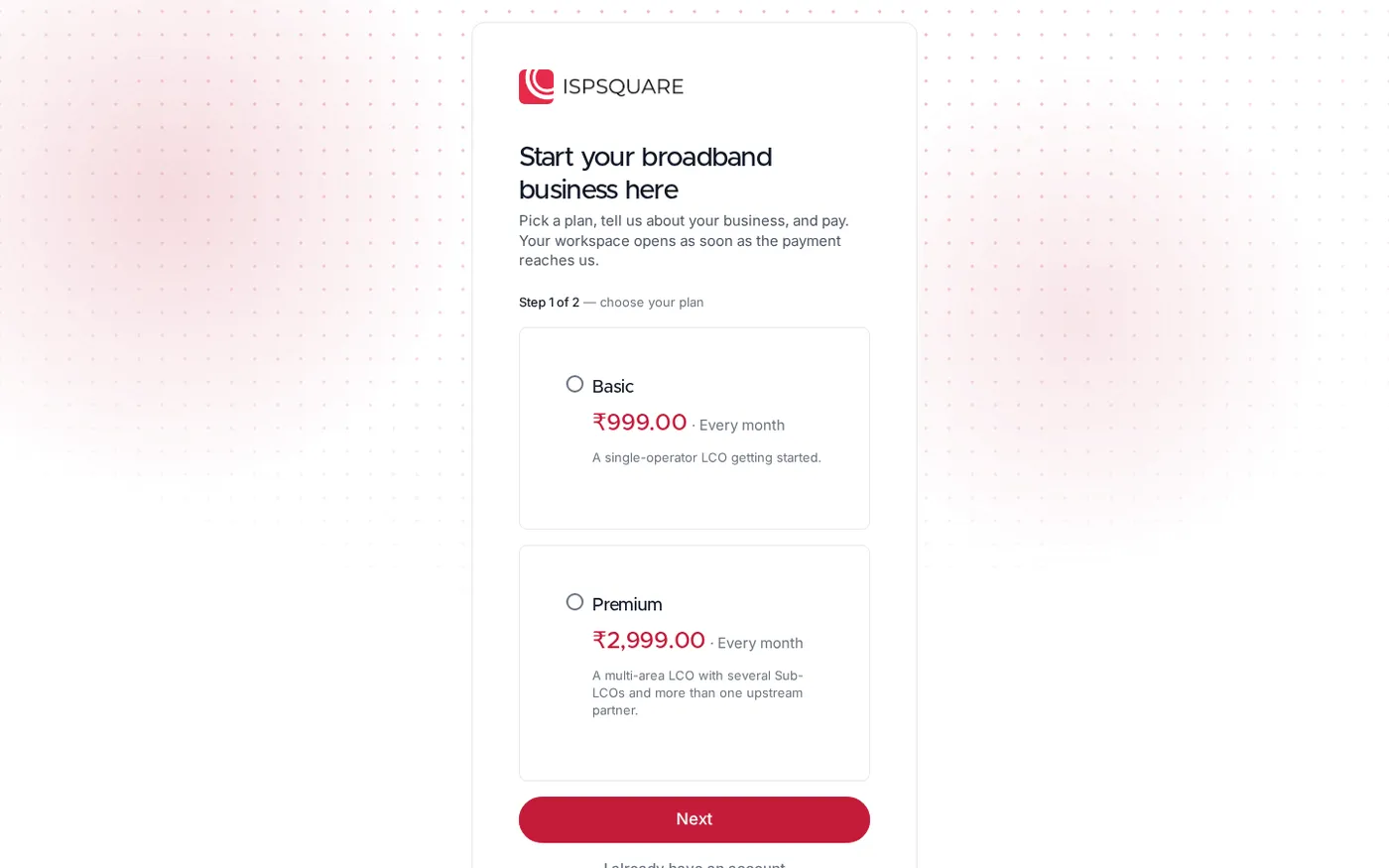
When the checklist is complete, open the current trial signup page again and confirm the plan and billing details displayed today. Plans start low — see current pricing before you pay. Do not rely on an old screenshot, forwarded message or a price copied from another page.
Before submitting payment, check:
- The selected plan matches your number of ISP accounts, customers and partners.
- The billing period and renewal choice are clear.
- You know where to download the GST invoice. ISP Square provides a GST invoice for app payments; for invoice treatment in your own business, check the official GST taxpayer guide and ask your CA.
- You have saved the support contact shown on the site.
- You understand the refund policy: a full refund is available within 7 days of the first payment, while renewals are not refunded once started.
The app supports monthly, quarterly, half-yearly and yearly billing, with manual or auto-pay options. If you change plan, unused days are credited according to the stated billing rules. Pick the billing setup that matches how you manage cash at the shop, and keep your old records until the first live cycle is verified.
Verify the trial before moving all customers
Use this final sign-off list:
| Question | Pass condition |
|---|---|
| Can you connect your actual ISP partner account? | The right customers, plans and balances are visible |
| Can a customer recharge online? | Payment, top-up and history agree |
| Can a partner work without your login? | Separate access, customer assignment and wallet are clear |
| Can you find KYC later? | The document is under your account and linked to the customer |
| Can staff work safely? | Permissions and action logs are understandable |
| Can you explain the bill? | Current plan, billing period, invoice and refund terms are clear |
If you fail one check, record the exact screen and customer identifier. That gives support a useful question. It is also a better basis for a decision than saying that the software “felt confusing”. For a broader explanation of reseller workflows, read ISP Billing Software India: A Reseller’s Practical Guide.
Common trial problems and fixes
The ISP account does not connect
Check that you selected the correct ISP and entered the partner-account details for that ISP. Start with a supported OneBroadband or GTPL account, and ask ISP Square which connection path applies if you resell another ISP. Do not share your password in a support group; use the official support channel.
The recharge result is not clear
Do not repeat the payment immediately. First check the transaction status, customer history and wallet ledger. Keep the payment reference ready when you contact support so the team can check the same transaction.
The partner sees the wrong customer or price
Review the customer assignment and the retail price set for that level. Then check the partner’s own login rather than testing from the operator account. This separates a permission issue from a pricing or assignment issue.
You are not ready to upload real KYC
That is fine for an initial trial. Inspect the fields with a permitted sample, then confirm your collection, storage and access process with your ISP and CA before moving live documents.
The trial page shows a different option from an old message
Use the current signup page and the current pricing section. Product pages can change; the important point is to confirm the plan, billing period and payment terms immediately before paying.
FAQ
What should I test first in an ISP billing software free trial?
Start with the connection to your ISP partner account and one online recharge. If those two flows work, test a partner wallet and a KYC record before spending time on less-used screens.
Can I try ISP Square with more than one ISP?
The current trial product is limited to one ISP account. ISP Square currently lists OneBroadband and GTPL connections; if you resell another ISP, ask the team about that connection before choosing a plan.
Does KYC stay with me if I leave an ISP?
ISP Square stores KYC uploads under your operator account rather than under the upstream ISP account. That means the record is designed to stay with your account if you change an ISP, subject to your own permission, retention and compliance process.
Can a partner use ISP Square without my main login?
Yes. The partner structure gives the operator, partner and sub-partner their own logins, wallets and customer views. Test a separate partner login during the trial and confirm the customer assignment, pricing and commission entry yourself.
What happens if I change my mind after paying?
Read the refund policy before payment. The stated policy provides a full refund within 7 days of the first payment; renewals are not refunded once started.