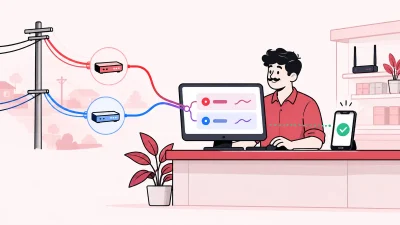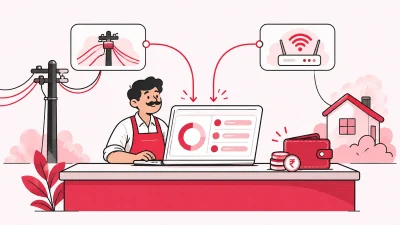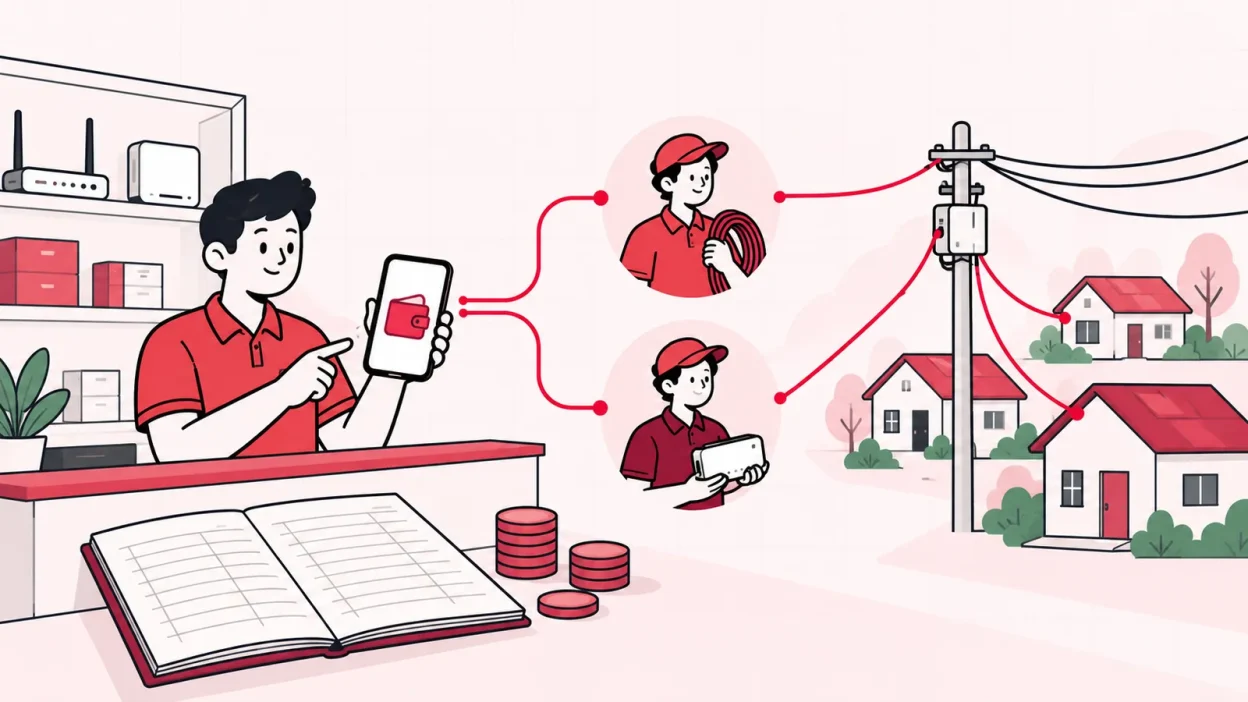
An lco partner wallet gives each broadband partner a prepaid balance for customer recharges, instead of leaving every sale on informal credit. The useful setup is simple: fund the wallet, let the partner recharge from it, and keep an unedited record of every movement.
For a local operator, this makes partner work easier to control. You can set prices by level, post commission to the right wallet, and see what happened when a partner asks about a balance.
The credit problem with partners
When a partner sells broadband on credit, you are carrying the working capital. The partner may collect from the customer today, but your upstream ISP account still needs the recharge amount. A few small pending amounts across several partners can become difficult to count at the shop counter.
The problem is not only the total amount. It is also the questions that come later:
- Which customer was recharged?
- Who collected the money?
- Was the amount a new recharge, a renewal, or a correction?
- How much commission belongs to the partner?
- Did the partner’s balance actually cover the transaction?
A notebook or spreadsheet can record some of this, but it usually separates the customer list, payment record and partner balance. That makes reconciliation a daily exercise.
A prepaid wallet changes the order of events. The operator first adds funds to a partner’s wallet. The partner then uses that available balance for eligible recharges. If the balance is not available, the partner has to request a top-up or collect funds before the next sale, according to the arrangement you set.
This is not a promise that every customer payment will be online. A partner can still collect cash at a local shop. The wallet is the internal control that records the amount made available for the partner’s broadband work.
What a prepaid wallet is
A prepaid partner wallet is a running balance attached to one partner login. It is not the customer’s wallet and it is not the ISP’s account. It is the operator’s view of the partner’s available working balance and the transactions that changed it.
Think of it as four parts:
| Part | What it answers |
|---|---|
| Opening balance | What amount was available before the period began? |
| Credit entry | When did the operator add funds or a commission? |
| Debit entry | Which recharge used the balance? |
| Closing balance | What remains available now? |
For example, suppose you add ₹2,000 to a partner wallet. An illustrative ₹450 broadband recharge is then recorded as a debit. The visible balance becomes ₹1,550 before any other entry. If a configured commission is posted as a separate ₹20 credit, the closing balance becomes ₹1,570.
The figures above are only an example of the calculation, not a promised rate. Your actual retail price, commission and recharge amount depend on the plan and rules you configure.
The important point is that the balance should be explainable from entries. A partner should not have to trust a number that appears without a reason, and you should not have to reconstruct the number from WhatsApp messages.
Topping up and spending
The cleanest process has a clear sequence. Keep the same sequence for every partner, even if some partners work from a different mohalla or shop.
- Create the partner login. Give the partner access to their own customers, plans and wallet. In a three-level structure, the tree can be operator → partner → sub-partner.
- Add the working balance. Record the amount you make available to the partner. Confirm the amount and the reason before the partner starts selling.
- Set the plan price for that level. Your retail price can be different for the operator, partner and sub-partner. Keep the rule visible to the people who need it.
- Complete the recharge. The recharge uses the partner’s available balance. The customer, plan, amount and time should be connected to the transaction.
- Post the commission. The configured commission is added to the relevant wallet on each recharge. Do not wait until month-end to calculate every partner’s margin by hand.
- Review the balance. The partner sees the current position, while you retain the operator view needed for reconciliation.
The partner’s price and your upstream ISP cost are different pieces of the setup. In ISP Square, the ISP cost is hidden from partners, while you can set the retail price for each plan and level. This lets you manage the commercial relationship without exposing the upstream account details.
This structure is useful when you have a direct partner who manages several homes, or when that partner has a sub-partner. Each level can have its own login, wallet and customer view instead of sharing one shop password.
For the broader operating picture, see this practical guide to ISP billing software for broadband resellers. A wallet is one part of the system; customer records, KYC and device movement also need a single place.
Why the ledger must never be edited
The word “ledger” matters. A balance is only useful when you can explain how it reached its current value.
An editable balance lets someone change ₹1,550 to ₹1,800 without showing why. Even if the change was made for a genuine correction, the original story is lost. The operator, partner and staff member may then remember different versions of the same recharge.
An append-only ledger takes a safer approach: past entries remain in the history, and a correction is added as a new entry. The original debit stays visible. The new adjustment records the reason and the person or process that made it.
This is the general idea behind append-only ledger tables: records can be inserted, but traditional updates and deletes are not used to rewrite the history. Microsoft’s documentation on append-only ledger tables describes the model and why transaction metadata helps explain the order of events.
For a broadband operator, the practical rule is more important than the database term:
- Never overwrite the original recharge entry.
- Never silently remove a wallet top-up.
- Record a correction as a separate adjustment.
- Keep the before-and-after effect visible.
- Give staff a way to see who performed the action.
An append-only ledger does not decide whether a recharge should be approved. It makes the decision traceable after it happens.
There is another useful control for uncertain transactions. If a recharge request times out, do not blindly retry it and risk charging the wallet twice. Check the transaction state, then record the final result through the proper flow. This protects the balance from duplicate debits and gives the operator a clear event to review.
Wallets in ISP Square
ISP Square is designed for operators who resell one or more ISP connections and need partner work in the same panel as customers and recharges. Today, the connected ISP partner accounts are OneBroadband and GTPL. The site says customers, plans and balances sync every minute.
The partner-wallet workflow fits into five areas:
One wallet for each level
The partner structure supports three levels: operator, partner and sub-partner. Each has a separate login, wallet and customer view. You can build the hierarchy under your account without asking the upstream ISP to create every downstream partner.
Price control by plan and level
You set the retail price for a plan at each level. The partner does not need to see your ISP cost. When a recharge completes, commission is posted to each relevant wallet according to the configured relationship.
This is especially useful when a sub-partner serves a small local area. You can keep a consistent plan catalogue while allowing the price and margin to follow the level of the network.
A single customer and recharge view
The panel keeps one customer list across connected ISPs, with the connection, plan, expiry, payments and history. Online recharge is handled through a web page, so the customer does not need to install an app. The customer pays online, the ISP account is topped up, and the operator can see the result.
That gives you two related flows: a customer can recharge online, and your partner can work from their own wallet. Both should end in a record you can check.
Staff access and audit history
If staff members help with top-ups or partner support, give them scoped logins. ISP Square supports staff access limited to selected screens and logs every action. This reduces the need to share the owner’s password and makes a later wallet question easier to investigate.
The same trust model applies to ISP passwords. They are stored encrypted and are not shown again. The wallet ledger is append-only, and a timed-out recharge is not blindly retried.
KYC and stock beside the wallet
Partner management does not stop at money. KYC documents uploaded to your ISP Square account stay under your account if you leave an ISP. Stock can move through a defined path: store → partner → installed at customer → written off.
Keeping these records beside the customer and wallet history helps answer the practical shop questions: who has the ONU, which customer has it, and which partner handled the connection?
You can see the partner overview on the ISP Square partners section and review the platform’s security and record-keeping points in the trust section.
How to choose a partner wallet system
Before adopting a wallet process, ask these questions in a live demonstration or trial:
- Can every partner see only their own customers and balance? A shared account makes ownership unclear.
- Can you create a partner and sub-partner tree? Flat contact lists become difficult when one partner manages local sellers.
- Can you set prices per plan and level? A single global price may not fit your direct and downstream relationships.
- Is the upstream ISP cost hidden from partners? Your partner needs a selling price, not your upstream credentials or cost structure.
- Does every recharge create a wallet entry? A balance without a transaction trail is hard to reconcile.
- Are corrections new entries? Ask whether the system preserves the original debit and records an adjustment.
- What happens when a recharge times out? The safe answer is a status check, not an automatic second debit.
- Can staff access be limited and logged? Owner, counter staff and field staff do not need the same screens.
- Does the system cover the rest of the operation? Customer expiry, KYC, stock and multiple ISP accounts matter once the partner network grows.
If you currently use a notebook, start with one partner and one plan. Write down the opening balance, every top-up, every recharge, every commission entry and the closing balance for a week. The exercise will show whether your proposed rules are clear before you add more levels.
For operators managing several ISP partner accounts, current ISP Square plan information is available here. Plans start low, but check the current pricing page before choosing a plan because prices and plan details can change.
Common wallet mistakes
Treating the wallet as profit
A top-up is money made available for work. It is not automatically your profit. Separate the partner’s funded balance, the recharge amount, the configured commission and your own business costs.
Mixing customer and partner balances
The customer pays for a broadband service. The partner wallet tracks the partner’s ability to process work under your rules. Keep the two records separate, even when the partner collects cash from the customer.
Changing a balance to “fix” a dispute
Do not replace a disputed entry with a new number. Check the customer, plan, timestamp and actor. If an adjustment is correct, add it as an adjustment with a reason.
Giving everyone the owner login
Shared credentials remove accountability. Use separate partner and staff logins so the wallet action is connected to the person who performed it.
Adding more levels before the first level is clear
Start with one operator-to-partner relationship. Once the pricing, wallet funding and commission rule are understood, add sub-partners with the same written process.
FAQ
What is an LCO partner wallet?
An LCO partner wallet is a prepaid balance assigned to a broadband reseller or partner. The partner uses the available balance for eligible recharges, while the operator tracks top-ups, debits, commissions and adjustments.
How does a prepaid wallet reduce partner credit?
The operator funds the wallet before the partner uses it for recharges. This makes the available working balance visible and reduces the need to maintain a separate list of informal credit amounts.
How should a broadband wallet ledger handle corrections?
Keep the original entry and add a separate adjustment with the reason. An append-only history makes the original debit, the correction and the resulting balance visible together.
Can partners and sub-partners have separate wallets?
Yes, a three-level structure can give the operator, partner and sub-partner their own login, wallet and customer view. The operator can set the retail price per plan and level and post commission to the relevant wallet.
Does ISP Square support a partner wallet system for multiple ISPs?
ISP Square connects ISP partner accounts and keeps customers, plans and balances in one panel. Today, the verified connections are OneBroadband and GTPL; if you resell another ISP, ask the team about it before starting.
DONE partner-wallet-for-broadband-resellers words=2198