LCO billing software should do more than write a bill for a broadband customer. It should help you collect a recharge online, send the right amount to the ISP account, keep customer and KYC records together, and manage partners from one shop counter.
If you resell broadband from one or more upstream ISPs, use this guide to separate useful reseller software from a cable collection register or a full ISP network-management suite. The right choice depends on how money, customer records and partner margins move through your business.
What a broadband LCO needs from billing software
Start with the actual work in your shop. A customer asks for a plan renewal, a partner wants wallet balance, a new connection needs KYC, or a staff member needs to check an old payment. Your software should make each job visible and traceable.
For a local broadband reseller, the useful jobs normally include:
- Keeping one customer list with the connection, plan, expiry, payments and history.
- Showing which upstream ISP account serves each customer.
- Giving a customer a web recharge page that works without installing an app.
- Recording the payment and the resulting ISP recharge together.
- Uploading KYC documents under your own operator account.
- Tracking an ONU or router from your store to a partner, then to an installation.
- Managing partners and sub-partners with separate logins and wallets.
- Setting your retail price and commission at each level.
- Giving staff access only to the screens they need, with actions logged.
The important test is not the number of menu items. Ask whether the system follows the complete transaction from customer payment to ISP account, wallet entry and operator record. You can also review the ISP Square feature overview while making your shortlist.
Step 1: Separate collection software from broadband reseller software
Why this matters: a collection app may record that you received money, but broadband resale also needs the upstream ISP account and connection status in the same workflow.
Many cable billing tools are designed around a monthly bill, a collector and a payment register. That can be useful for recording collections. It does not by itself prove that a paid broadband renewal has reached the correct ISP account or that the customer’s expiry has been updated.
At the other end, an ISP billing or RADIUS suite may be built for a company that owns the network. Such a system can focus on NAS, RADIUS, provisioning and network controls. A local reseller usually needs a lighter question answered: “Which customer paid, which ISP account should be topped up, and what is my margin?”
Use this quick comparison when shortlisting tools:
| Tool type | What it usually handles | Question for a broadband reseller |
|---|---|---|
| Register or spreadsheet | Customer names, due dates and manual entries | Does it connect the payment to the ISP recharge? |
| Cable collection app | Bills, collections and customer records | Can it handle more than one upstream ISP and partner wallet? |
| Full ISP network suite | Network control, subscriber provisioning and billing | Are you paying for controls you do not operate? |
| Reseller-focused panel | ISP accounts, recharges, customers, KYC and partners | Can you see the complete money and account trail? |
This is why a broadband reseller should look for software built around the operator–partner relationship, not only around invoice printing.
Success looks like: you can explain, in one sentence, how a customer’s payment becomes an ISP recharge and how the same event appears in your operator ledger.
Step 2: Map the daily money flow before you buy
Why this matters: a clear money flow helps you find missing features before you move live customer data.
Write down one normal renewal in your shop:
- The customer opens your recharge page and chooses the connection or plan.
- The customer pays online, or you record a payment made at the counter.
- The amount is linked to the correct upstream ISP account.
- The customer’s payment and expiry history is updated.
- Your wallet or ledger shows what happened.
- If a partner made the sale, that partner’s commission is posted at the same time.
Ask the vendor to show this flow with a sample account. Do not accept “we have payments” as the answer. You need to know where the customer payment, ISP recharge, wallet movement and commission appear.
ISP Square is designed for this reseller flow. It connects ISP partner accounts, including OneBroadband and GTPL, and keeps customers, plans and balances in one panel. The site says these records sync every minute; still, ask how the screen identifies the ISP account and the transaction when you are checking a real renewal.
For provider-specific service information, check the One Broadband FAQ and GTPL’s official site. Your billing panel helps you organise the resale operation; it does not replace the upstream ISP’s own terms or support process.
Success looks like: you can trace a sample renewal from the customer record to the correct ISP account, payment history and wallet entry.
Step 3: Confirm that online recharge reaches the ISP
Why this matters: online payment is only useful when it reduces the manual work between your customer, your wallet and the upstream account.
An online recharge page should be simple enough for a customer to use from a phone. There should be no app installation step for a basic renewal. After payment, you should be able to see the customer, plan, amount and resulting account action in your operator view.
Check these points in a demo:
- Can the customer open a web page and pay without calling the shop?
- Can you identify the correct customer when names are similar?
- Does the system show the ISP account connected to that customer?
- Is the payment history visible after the recharge?
- What happens when a payment request takes too long to return?
- Is a timed-out recharge prevented from being blindly retried?
The last question protects your ledger. ISP Square records a wallet ledger as append-only and does not blindly retry a recharge after a timeout. That gives you a clear event to investigate instead of two uncertain entries.
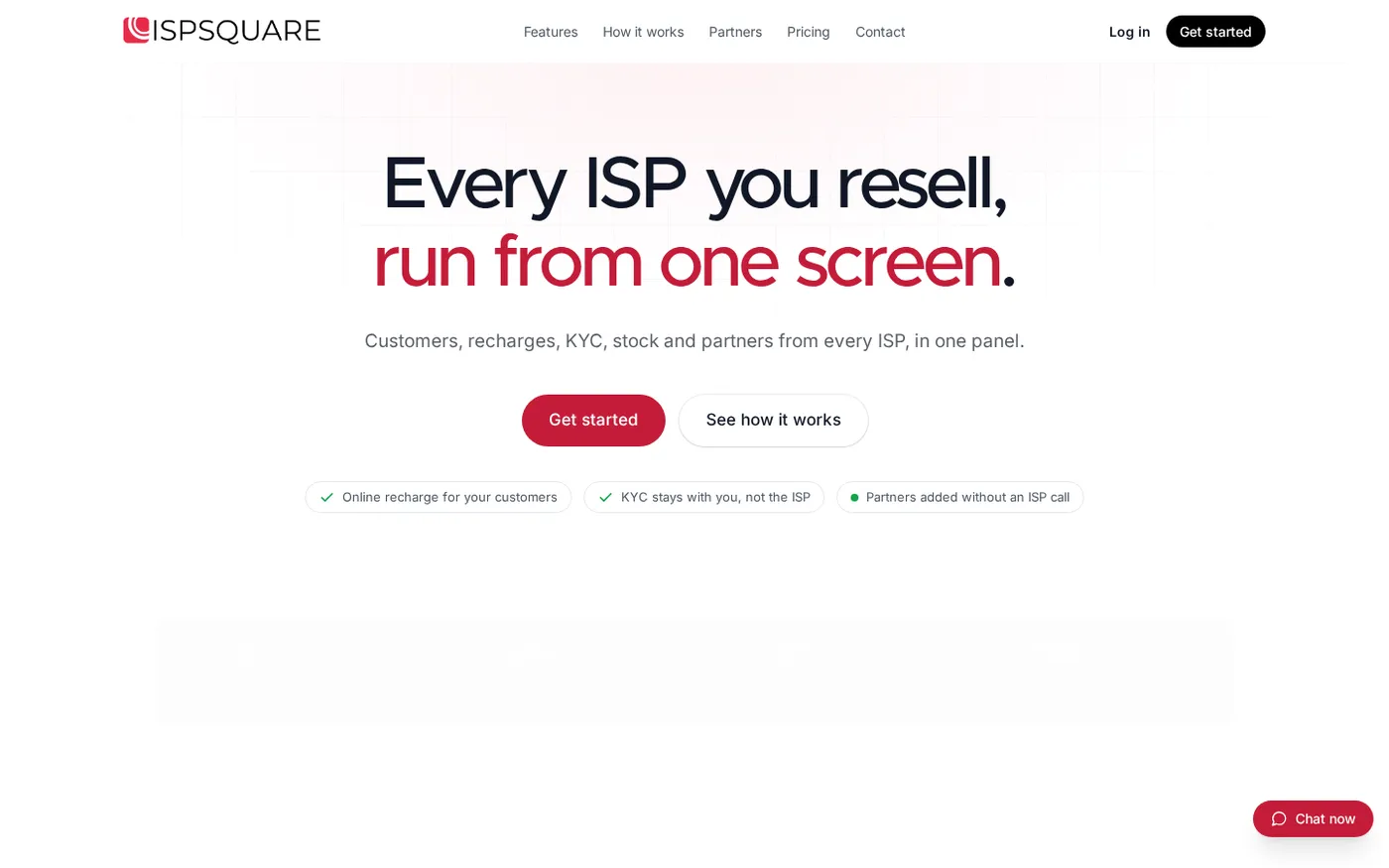
The home page screenshot is a useful visual check for the product’s intended workflow: it presents several ISP accounts as one operator screen, alongside online recharge and KYC points. A buyer should look for this same relationship in the live product, not only for a generic “billing” label.
Success looks like: one test recharge has one clear customer history entry, one wallet or ledger event and one known ISP account action, without a blind second attempt.
Step 4: Keep KYC and customer records under your account
Why this matters: customer records are part of your business relationship, even when the broadband service comes from another ISP.
Your software should let you upload the KYC documents requested for a connection and keep them under your operator account. It should also keep the connection, plan, expiry and payment history beside the customer record. If you change an upstream ISP later, the records should remain with your business rather than being trapped in a single provider portal.
Do not treat a software feature as legal or tax advice. The exact documents and verification process depend on the ISP and the service. TRAI’s official e-KYC communication is a useful primary reference, but confirm the current requirement with the ISP and your CA before you set a shop process.
Ask three practical questions:
- Can authorised staff upload a document without seeing every other screen?
- Can you find the document and connection history from one customer record?
- Can you export or retain your business records if an upstream relationship changes?
ISP Square’s stated model is that KYC is uploaded to the operator’s ISP Square account, not to the ISP, and remains with the operator if they leave an ISP. That is a strong fit for a reseller who may work with more than one upstream provider.
Success looks like: an authorised person can find the customer’s connection, payment history and KYC document from the operator account, while other staff see only the screens you allow.
Step 5: Check partners, wallets and staff controls
Why this matters: a growing shop often has one owner, a few partners and staff doing different jobs. A shared password and one common ledger quickly becomes hard to check.
Look for a three-level structure: operator, partner and sub-partner. Each person should have an individual login, wallet and customer view. You should be able to set your own retail price for a plan at each level while keeping the upstream ISP cost hidden from partners. Commission should post to the relevant wallet when the customer recharges.
This is different from simply giving a reseller a discount. You need to see who sold the connection, what price was used, how much commission was posted and which customer payment created the entry.
Staff permissions matter too. A cashier may need to check a payment. A field worker may need customer details. The owner may need to change a plan or review the wallet ledger. Screen-level permissions and an action log help you see what happened later without giving every login full control.
For stock, the trail should be just as clear:
store → partner → installed at customer → written off
That simple chain is useful for routers and ONUs. It gives you a place to record a device before it leaves the shop, when it is handed to a partner, and when it is installed or written off.
Success looks like: every partner has an individual wallet and login, every commission has a reason, and you can locate a device at its latest recorded stage.
Step 6: Judge the price against the work you remove
Why this matters: the cheapest-looking tool is not always the lowest-cost process if you still maintain separate ISP portals, notebooks and partner ledgers.
Do not compare only the subscription line. Compare the monthly work:
- How many upstream ISP accounts do you need in one login?
- How many customers and partners will you manage this year?
- Do customers get an online recharge page?
- Do you need partner and sub-partner wallets with different retail prices?
- Do you need staff logins, action logs, KYC and device tracking?
- Does the app issue a GST invoice for its own subscription?
- Can you change the app plan later, with unused days credited as stated?
ISP Square offers plans for different operator sizes, and plans start low; see the current pricing before you choose. The website and signup flow can change, so confirm the plan, payment cycle and included limits on the page you will use.
The best starting plan is the one that covers your current ISP accounts and customer workflow without forcing you into a complex network-operator product. If you are testing the process, confirm the current trial and refund terms before paying. ISP Square states that the first payment can be fully refunded within seven days, while renewals are not refunded once started.
Success looks like: the plan’s current limits and payment terms match your customer, partner and staff count, and you know what is included before you enter live records.
Step 7: Start with one clean operating process
Why this matters: software gives you better results when the shop follows one repeatable process.
Before you invite partners, prepare a small checklist:
- Add the upstream ISP partner account and verify the connection details.
- Import or create a few customer records with the right plan and expiry.
- Upload KYC documents only for the customers and staff who need access.
- Test one online recharge and check the customer history, ISP account and wallet entry.
- Add one partner, set a retail price, and verify the commission entry.
- Record one router or ONU through the stock stages.
- Create staff logins with the narrowest useful permissions.
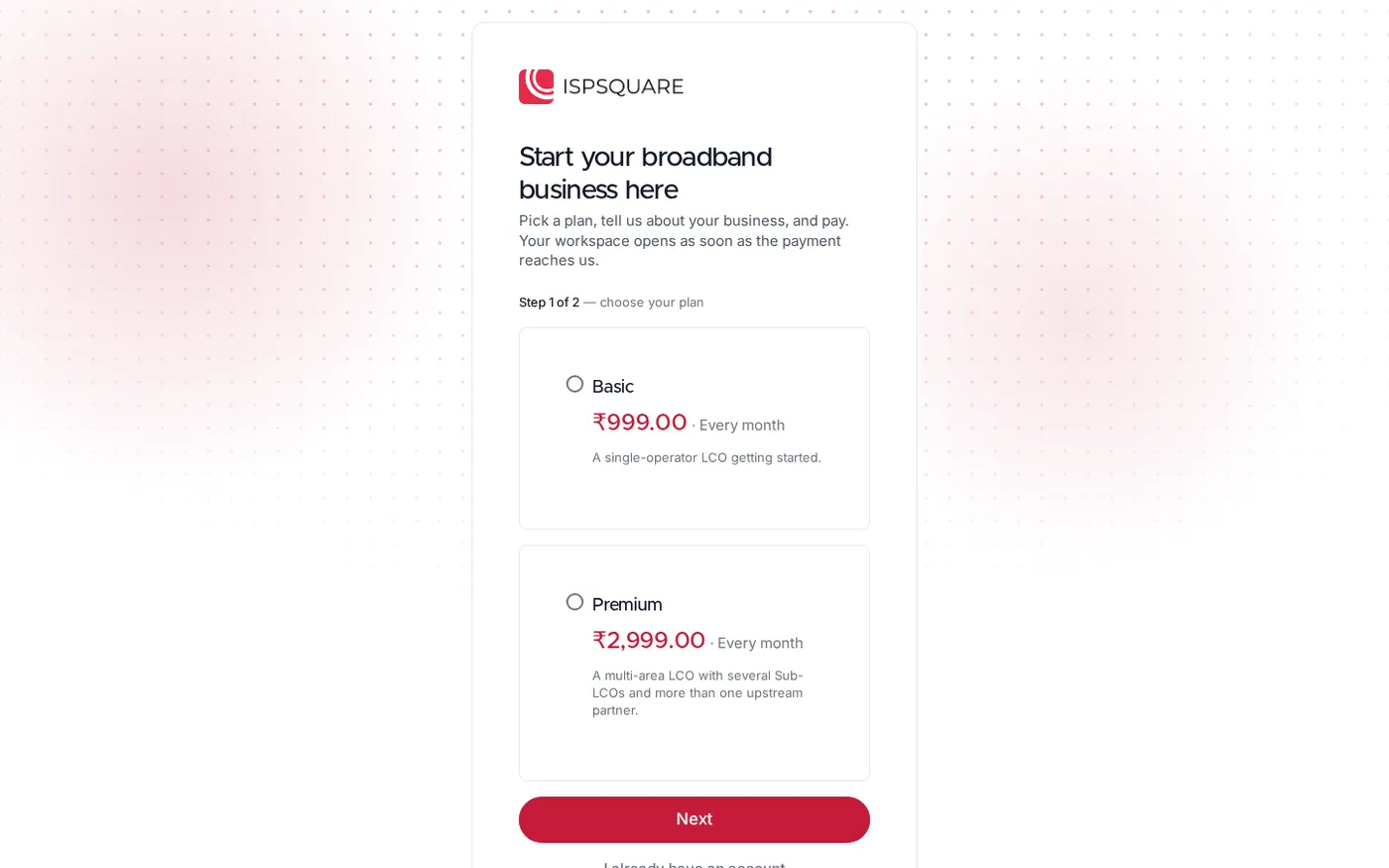
The signup page starts with plan selection before the workspace opens. Use the page to confirm the current plan options and account details, then begin with a small, easy-to-check group of records.
Once the test works, keep the same steps for every new customer. This makes training easier for staff and gives you a consistent trail when a partner asks about a payment or commission.
Success looks like: a new staff member can repeat the same renewal, KYC and device steps without needing a separate notebook to fill the gaps.
Verify your first renewal
Use one low-risk customer record and check the full trail before inviting your whole partner network:
- Open the customer record and note the ISP, plan and expiry.
- Complete one recharge through the web page.
- Check the payment history, wallet ledger and ISP account action.
- Check the partner commission if a partner made the sale.
- Confirm that the customer’s new expiry is shown consistently wherever you expect it.
Save the transaction reference or screenshot in your internal operating notes. It gives staff a clear example for the next renewal.
Troubleshooting common shop questions
The payment is complete but the recharge status is unclear
Do not submit the same recharge again immediately. Check the customer record, transaction history and append-only wallet ledger first, then follow the provider’s support process with the reference. A timed-out request needs a confirmed status, not a blind retry.
A partner sees a different price from the owner
Check the plan’s retail price at that partner level and confirm which partner or sub-partner login was used. Keep the upstream ISP cost restricted where your workflow requires it, and review the commission entry beside the customer payment.
A staff member cannot complete a task
Review the staff login’s screen permissions before sharing an owner password. Give access to the smallest set of screens needed for the job and use the action log when you need to understand what was changed.
A practical shortlist for LCO billing software
Before you decide, ask each vendor to answer these questions in writing:
- Which upstream ISP partner accounts can I connect today?
- Is the customer recharge page web-based, and where does the payment appear?
- Are customer plans, expiry dates, payments and history visible in one list?
- Where are KYC files stored, and who can access them?
- Can I create operator, partner and sub-partner logins?
- Can I set a retail price and commission for each level?
- Are ISP costs hidden from partners where appropriate?
- Is the wallet ledger append-only, and how are timed-out recharges handled?
- Can I track routers and ONUs from store to customer?
- Can I restrict staff screens and review the action log?
- What are the current plan limits, payment cycles, invoices and refund terms?
If a product cannot show the money trail and the partner trail together, it may be a collection tool rather than the LCO billing software your broadband business needs.
FAQ
What is LCO billing software?
LCO billing software helps a local broadband reseller manage customers, plans, expiry dates, payments and ISP-related recharges. Reseller-focused software can also add KYC, partner wallets, commissions, staff permissions and device tracking.
Can cable billing software handle broadband recharge?
Some cable billing tools can record broadband bills and collections. Check whether the tool actually connects the customer payment to the correct upstream ISP account, rather than only marking a register as paid.
Do I need RADIUS or NAS control as an LCO?
Not usually if you resell someone else’s network and do not operate the ISP infrastructure. Ask whether you need network provisioning and authentication controls, or whether your main need is customers, recharges, partner wallets and records.
Can I manage OneBroadband and GTPL from one panel?
ISP Square is designed to connect ISP partner accounts, including OneBroadband and GTPL, in one operator panel. Confirm the current connection options for your account and tell the provider which ISP you resell if it is not listed.
What should I check before buying an LCO app?
Test one complete renewal, one partner commission, one KYC upload and one device handover. Then check the current plan limits, invoice, payment cycle and refund terms on the vendor’s live pages.