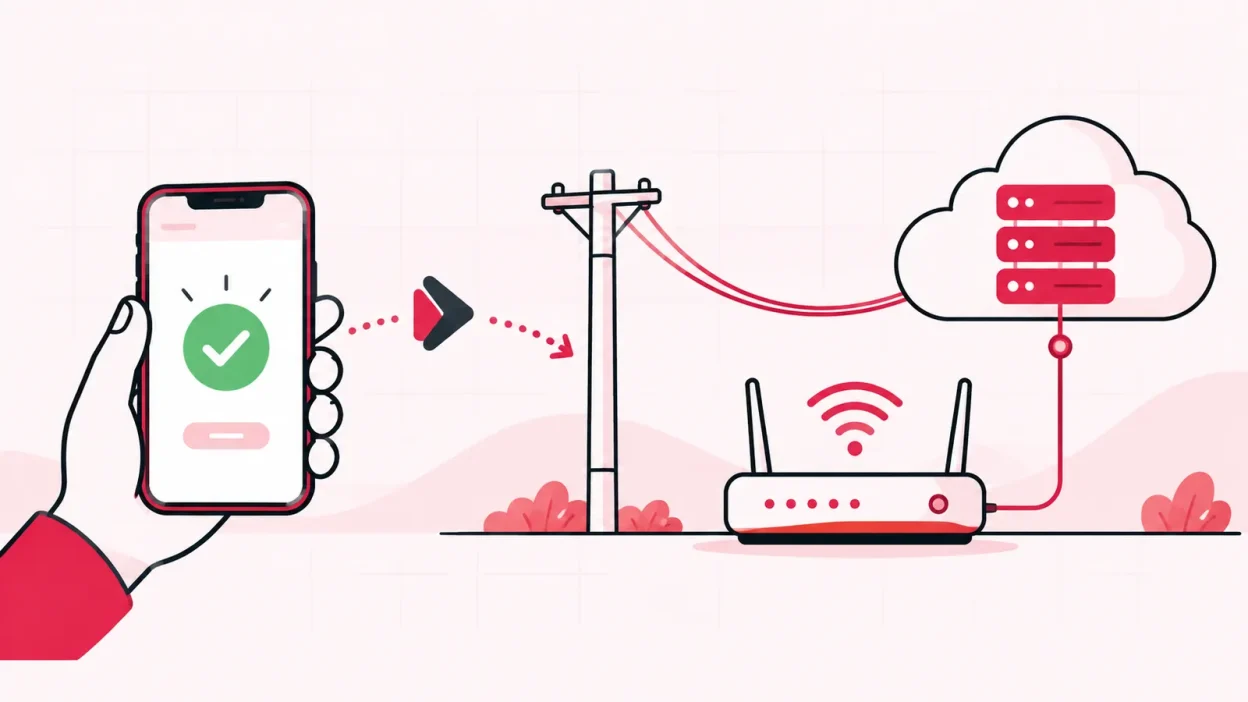
A payment gateway for ISP customers should do more than accept money online: it should help the customer pay the right plan and complete the ISP recharge. A UPI QR or gateway link can collect a payment, but your broadband business still needs a clear way to match that payment to a customer, plan and upstream ISP account.
This guide explains what to check before you choose a gateway, including merchant KYC, UPI options, charges, settlement timing and the gap between “payment received” and “recharge completed”.
Gateway, UPI QR or recharge page: what each does
These terms are related, but they are not the same. Choosing the wrong layer can leave you checking bank statements and manually updating broadband accounts.
| Option | What the customer does | What you still need to manage |
|---|---|---|
| Payment gateway | Pays on a checkout page using the methods enabled by the provider | Customer identity, plan, payment status and ISP recharge |
| UPI QR or UPI ID | Scans a QR or pays a merchant address in a UPI app | Correct amount, customer reference, reconciliation and recharge |
| ISP recharge page | Selects a customer and plan, pays online, and sends the recharge into the connected ISP account | Provider onboarding, plan mapping and exception handling |
| Cash or shop UPI transfer | Pays you at the counter or to your business UPI account | Manual entry, receipt, customer matching and recharge |
RBI describes a payment gateway as technology infrastructure that routes an online payment without handling the funds. A payment aggregator is the intermediary that accepts payment instruments and transfers money to merchants after a settlement period. Read the RBI guidelines on payment aggregators and payment gateways when reviewing what your provider says it does.
For UPI, the acquiring bank onboards the merchant and can provide QR, intent, app-based or collect integration modes. NPCI’s UPI FAQ for merchants says the merchant receives money according to its agreement with the acquiring bank. So “UPI is instant” does not by itself answer when your gateway will settle, or whether the broadband recharge has happened.
What you need before applying
Keep a small document folder ready. The exact list depends on the gateway, your business structure, your bank and the payment methods you request. Ask the provider for its current onboarding checklist before you submit anything.
Usually, an Indian broadband operator should be ready to discuss:
- Business identity: proprietor, partnership or company details, PAN and the business address.
- Bank account: the account into which settlements will be paid, with the name matching the approved merchant profile as required by the provider.
- Website or payment page: a clear description of broadband services, contact details, terms, refund rules and customer support route.
- Tax details: GST information if applicable to your business and the provider’s onboarding rules. Confirm the treatment with your CA.
- Service flow: what the customer is buying, how the plan period is recorded, and what happens if payment succeeds but the recharge needs checking.
Do not upload a document only because a salesperson asks for it on WhatsApp. Use the provider’s official onboarding channel, check the merchant name and keep a record of what you submitted. You can also ask whether card details are stored by the merchant, by the payment provider or by neither. RBI’s guidance says the merchant site should not save customer card data and should state privacy, refunds and terms clearly.
Charges and settlement time to ask about
The lowest advertised percentage is not always the lowest cost for a small broadband operation. Ask for the full commercial sheet in writing.
| Question | Why it matters to an operator |
|---|---|
| Is there a setup or annual fee? | A low transaction rate may come with a fixed cost. |
| What is the fee for UPI, cards and net banking? | Customers may use different methods, and each can have different terms. |
| Is GST added to the provider’s fee? | Compare the final deduction, not only the headline rate. |
| Is a convenience fee charged to the customer? | It changes the amount the customer sees and the amount you reconcile. |
| When is each payment settled? | You need to know when the money reaches your bank account. |
| Are weekends and bank holidays treated differently? | A shop may collect payments outside normal working days. |
| What happens to a refund or failed transaction? | You need a clear path before a customer calls about a missing recharge. |
| Is there a chargeback or dispute fee? | It affects the margin on a broadband plan. |
| What reports and reference numbers are supplied? | A reference number makes payment matching easier. |
Write down three separate timestamps: the customer’s payment time, the gateway’s success time and the settlement credit time. They may not be the same. If a provider uses terms such as T+1, ask the provider to explain exactly which day starts the count and whether it means business days or calendar days.
RBI’s framework requires payment aggregators to disclose information such as customer grievance handling and to show other charges, including convenience or handling fees, upfront where applicable. It also covers escrow and merchant settlement. That does not remove the need to read your own agreement: the agreement is where your actual cycle, fees and refund process are defined.
The gap: money received but ISP not recharged
This is the main test for a broadband operator. A successful bank payment is only the first event in the chain:
Customer selects connection and plan
        ↓
Payment is authorised
        ↓
Payment status is recorded against that customer
        ↓
The correct ISP account is topped up
        ↓
Operator sees the recharge and can answer the customer
A bare gateway link often stops after the second or third line. You may receive a payment in your bank account but still need to decide whether it belongs to Rahul’s OneBroadband connection, a GTPL customer, a new installation or a renewal. If the same customer pays for the wrong plan, manual correction becomes even harder.
For a small shop, the payment design should answer these questions before launch:
- Which customer record is being paid?
- Which ISP account and connection does that record use?
- Which plan and validity period were selected?
- What status does the operator see after payment?
- What happens when the gateway response is delayed or unclear?
- How do you match the settlement report to the recharge ledger?
Do not ask staff to click “recharge” again just because a payment screen took time to return. First check the transaction reference and the recharge status. A duplicate recharge can create a harder customer-service problem than a payment that is still being reconciled.
How ISP Square’s recharge page closes the gap
ISP Square is built for an operator who resells an upstream ISP rather than owns the broadband network. Its online recharge page gives a customer a web page to pay from, without installing an app. The payment is tied to the selected customer and plan, the connected ISP account is topped up, and the operator can see the result.
The panel can connect ISP partner accounts for OneBroadband and GTPL. Customers, plans and balances sync every minute. You can keep one customer list with the connection, plan, expiry, payments and history instead of checking separate ISP portals for every renewal.
The important comparison is therefore not just “Which gateway is cheapest?” It is:
| Check | Bare gateway link | ISP Square recharge flow |
|---|---|---|
| Customer chooses a plan | May need your own form or message | Plan is part of the recharge flow |
| Customer identity | You may match it manually | Customer record is part of the panel |
| Multiple ISP accounts | Usually your own responsibility | One panel for connected partner accounts |
| Recharge action | May be a separate staff task | Payment and upstream recharge are connected |
| Operator visibility | Bank or gateway dashboard | Customer, payment, expiry and recharge history |
| Exception handling | Ask the gateway and ISP separately | Check the payment and recharge status before acting |
KYC uploaded to your ISP Square account stays with your operator account rather than being tied only to one ISP. The product also records wallet and recharge activity, stores ISP passwords encrypted and avoids a blind retry when a recharge response times out. Those are operational controls to check for when you compare any system.
For a broader view of running more than one upstream account, see One Broadband Partner Login: Run It With GTPL. You can also read the practical guide to ISP billing software in India before deciding whether a gateway alone is enough.
Step 1: Map the payment and recharge flow
Why: You cannot choose the right integration until you know what must happen after the customer pays.
Write the flow on paper: customer, connection, ISP, plan, amount, payment status, recharge status and receipt. Include one example for a new customer and one for a renewal. Mark the person responsible for checking an unclear payment during shop hours.
Success looks like: every payment has a known customer, plan, upstream account and next action.
Step 2: Ask the gateway for its current onboarding list
Why: Missing KYC or unclear business details can delay approval and change the payment methods available to you.
Ask for the exact documents, accepted business name, settlement bank requirements, supported UPI modes, refund process and merchant support route. Confirm whether your website needs published terms, privacy information and a refund policy before approval.
Success looks like: you have a written checklist, an official submission route and a named escalation path.
Step 3: Compare the complete cost and settlement schedule
Why: The amount deducted and the day you receive settlement affect your working cash.
Put each provider’s transaction fees, GST, fixed fees, customer convenience fee, refund fee and dispute fee in one sheet. Test the calculation with a normal monthly recharge and a smaller plan. Ask for a sample settlement report with payment reference, gross amount, deduction and net amount.
Success looks like: you can calculate the net settlement for a real recharge without guessing.
Step 4: Run controlled payment tests
Why: The most useful test is not a successful payment screen; it is whether every status can be reconciled.
Use a test customer and confirm the full sequence: plan selection, payment authorisation, return to the page, customer receipt, gateway dashboard, settlement report and ISP recharge. Test a successful payment, a customer cancellation, a failed payment and a delayed response. Never use a real customer’s KYC or connection for a test.
Success looks like: staff can identify what happened from the reference number and know when to wait, refund or contact support.
Step 5: Give the customer one clear recharge route
Why: A single page reduces wrong amounts, wrong connections and repeated phone calls.
Share the recharge page on your bill, website, shop counter and customer messages. Keep the customer’s connection identifier and plan name clear before the payment button. Tell customers not to send a screenshot as the only proof; ask them to keep the gateway reference and the receipt.
Success looks like: a customer can pay without calling the shop to explain which connection they meant.
Verify the setup every day
At the end of the day, compare three records:
- The recharge page or system ledger.
- The gateway’s successful, failed and pending transactions.
- The bank settlement or payout report.
Match by reference number, customer, amount and date. Then check the upstream ISP account for the recharge result. Keep pending items in a short list with the next check time. This is easier when your customer, payment and ISP history sit in the same panel.
If you work with partners or sub-partners, give each person their own login and wallet rather than sharing the operator’s gateway credentials. ISP Square supports a three-level operator, partner and sub-partner tree, with each level having its own login, wallet and customers. Its staff logins can be scoped to screens, and actions are logged.
Troubleshooting payment and recharge problems
Payment succeeded, but the customer is not recharged
Do not retry immediately. Note the payment reference, check the payment status and check the recharge status against the customer’s ISP connection. If the payment is successful but recharge is not confirmed, follow the system or gateway’s documented exception path and give the customer a clear update.
The bank amount and gateway report do not match
Compare gross amount, fees, GST, refunds, reversals and the settlement date. A bank credit may group several transactions, while the gateway report may show each payment separately. Ask support for a settlement reference rather than matching only by a rounded amount.
A customer paid the wrong connection
Do not edit the ledger silently. Record the original reference, connection and requested correction. Confirm whether the payment has already triggered the ISP recharge, then follow the provider’s correction or refund process and keep the customer informed.
The gateway asks for more KYC
Ask which document is missing, why it is needed and where it should be uploaded. Check that the request comes through the official merchant channel. If the issue concerns GST or business structure, confirm the position with your CA or the payment provider.
The gateway is approved, but the workflow is still manual
The gateway may be working as designed; it is only the collection layer. Add a customer-and-plan step, a recharge integration or an operator panel that records the upstream recharge. For a reseller, a payment page without the ISP action is not a complete broadband collection workflow.
FAQ
What is the best payment gateway for an ISP?
The best fit is the one that accepts your customers’ preferred payment methods, gives clear settlement reports and connects payment to the correct broadband recharge. For a reseller, check the recharge workflow and multi-ISP handling before comparing only transaction fees.
Can a broadband operator accept UPI without a payment gateway?
Yes, you can accept a UPI payment through an appropriately onboarded merchant QR or UPI ID. You still need customer matching, a receipt, reconciliation and a reliable way to complete the ISP recharge. NPCI lists QR, intent, app-based and collect modes, subject to your acquiring bank’s arrangement.
What documents are needed for an ISP payment gateway?
The exact list varies by provider and business structure. Be ready to discuss PAN, business identity and address, settlement bank details, your service page, terms, refund process and GST information if applicable. Ask for the current checklist before applying.
How long does payment gateway settlement take?
There is no single answer for every provider or payment method. Ask whether the schedule is same day, next business day or another cycle, and ask how weekends, refunds, disputes and failed payments are handled. Separate settlement time from the time needed to complete the ISP recharge.
Is a payment gateway enough for broadband recharge?
Not always. It can confirm that money was collected, but the broadband operation also needs the right customer, plan, ISP account, recharge status and audit trail. A recharge page connected to your ISP workflow addresses that operational gap.
The current ISP Square plans start low — see current pricing — and get started when you are ready to test the full payment-to-recharge flow.
DONE payment-gateway-for-broadband-operator words=2615