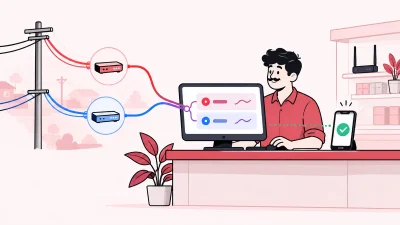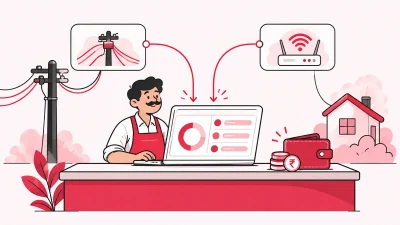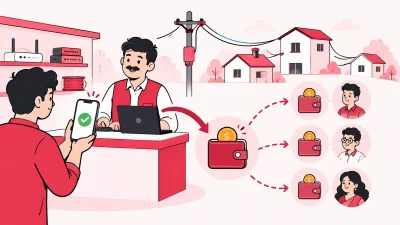
The gtpl saathi app is GTPL Hathway’s partner tool for local cable operators (LCOs) and affiliates who manage GTPL customers. It brings customer search, package actions, top-ups, payment history, invoices, hardware replacement and support requests into one operator-facing place.
If GTPL is the only ISP you resell, Saathi covers GTPL-side work. If you also manage OneBroadband or another ISP, a multi-ISP panel can keep your customer, recharge and partner work together instead of making you switch between portals.
What GTPL Saathi is
GTPL Saathi is a business tool for GTPL affiliates, not the normal customer app for checking a home broadband account. The official Google Play listing describes it as a tool for affiliates and LCOs to support their customers and manage the operator’s sub-base.
The web portal is available at gtplsaathi.com. Its login screen asks for a username and password and includes a password-recovery option. GTPL’s main site also has a separate GTPL account login, so check which account you are trying to access before entering your details.
The easiest way to understand Saathi is to see it as a GTPL work desk. It gives an operator a view of customer accounts and the actions needed for daily service work. Your access and available actions depend on your GTPL partner account.
Where to download and log in
Use official pages when you install or sign in. Search results can show pages that copy the name or offer an APK; an operator should check the developer name and domain before using them.
| Need | Official place | What to check |
|---|---|---|
| Android app | GTPL Saathi on Google Play | Developer is GTPL Hathway Limited and the package is com.gtpl.lco |
| Web partner login | gtplsaathi.com | The page is an operator login with username and password fields |
| General GTPL account login | GTPL login | This is GTPL’s main account sign-in page, with password and OTP options |
| Support and contact | GTPL contact page | Use the current email, WhatsApp or office details shown by GTPL |
The Play Store listing currently identifies GTPL Hathway Limited as the developer. It lists the app’s functions and shows the current release information, which can change as GTPL updates the app. For that reason, use the live listing for the current install button rather than downloading an old file from a third-party website.
For a first login, keep your GTPL partner username and password ready. If GTPL created your account or changed your access, use the credentials supplied by GTPL or your authorised GTPL contact. Do not share the password with a customer or enter it into a page that is not the official portal.
What operators use GTPL Saathi for
GTPL’s official app description lists the main tasks. In a small broadband or cable shop, these tasks fit into four daily groups.
1. Find and understand a customer
The dashboard gives an overview of the operator’s customer base, and the search function helps you find a customer record. This is useful when a customer calls about a renewal, a package, a payment or a service request and you need to check the account before taking action.
Start with the account details available in your GTPL records. Confirm that the name, account identifier or other details match the right customer before changing a package or starting a top-up. A careful search prevents you from applying an action to the wrong connection.
2. Manage packages
The Play Store description says GTPL Saathi lets LCOs activate, modify, change, renew, disconnect or suspend customer packages. These are operator actions on the GTPL customer account, so use the option that matches the customer’s request and your normal approval process.
For a renewal, check the customer and the selected package first. For a change, confirm the new package and effective details before submitting. Keep the payment or customer instruction with your shop records if your local process requires it.
3. Handle top-ups and payment records
Saathi includes Top-Up and Multi Top-Up functions. It also provides payment history, so you can check the account’s previous transactions while handling a customer query.
Customer invoices can be downloaded from the app according to the official listing. This is helpful when a customer asks for a bill or when you need a copy for your shop’s record. Check the account and transaction details before sharing an invoice with the customer.
4. Raise support and hardware requests
The app includes a hardware replacement function. It also lets an LCO raise requests through E-Support and view ticket status. That gives you a place to record a support request and check its status instead of relying only on a phone conversation.
The exact screens may change with a new app version or with your partner permissions. Treat the current app and portal as the source of truth for the options visible on your account.
A simple daily workflow for an operator
Saathi is most useful when you use it as a repeatable shop process rather than opening it only after a customer complaint.
- Open the official app or portal. Check that you are on the GTPL Saathi login page or the Google Play app published by GTPL Hathway Limited.
- Search for the customer. Match the account with the customer name and the identifier in your register or message.
- Check the account context. Look at the package, payment history or request details related to the customer’s question.
- Take one clear action. Renew, change, suspend, disconnect, top up or raise support, depending on the request and your authority.
- Save the record you need. Download an invoice or note the request and ticket details in your shop records.
- Tell the customer what happens next. Give a clear status based on the confirmation shown in the portal, not an assumption.
This flow keeps the customer conversation and the portal action in the same order. It is especially useful when one staff member receives the payment and another staff member handles the account.
If you resell more than one ISP
GTPL Saathi is focused on GTPL work. That is useful when you need GTPL-specific customer actions, but it does not become a shared workspace for every ISP account you operate.
If your shop resells GTPL and OneBroadband, for example, you may have a GTPL customer record in Saathi and another customer record in a different ISP portal. The risk is not that either portal is wrong; the practical issue is that your staff must remember where each customer, recharge and payment history lives.
ISP Square is designed for operators who connect more than one ISP partner account. It provides one customer list across connected ISPs, with connection, plan, expiry, payment and history information. Its current supported ISP connections are OneBroadband and GTPL. See the ISP Square multi-ISP workflow to understand how the panel is positioned.
It also gives you a single place for operator, partner and sub-partner work: each level can have its own login, wallet and customers, while you set the retail price for each level. If you are comparing the two approaches, our guide to running OneBroadband and GTPL together explains the multi-ISP problem in shop-counter terms.
The choice is simple:
| Your working setup | Practical fit |
|---|---|
| You resell only GTPL and need GTPL customer actions | GTPL Saathi is the GTPL partner tool to use |
| You resell GTPL plus OneBroadband | Use the relevant ISP tools, or keep the shared customer and partner workflow in ISP Square |
| You have staff handling recharges and support | Use clear staff access and keep a record of each action |
| You are moving from registers to online operations | Start with customer search, recharge records, invoices and expiry follow-up |
If you are unsure whether your ISP is supported, tell ISP Square which ISP you resell before choosing a workflow. Do not assume that a portal built for one ISP can manage a second ISP’s account.
Common GTPL Saathi login problems and who to contact
Most login questions are easier to solve when you identify the exact point where access stops.
The page does not look like the partner portal
Check the address bar and return to gtplsaathi.com. Do not type your username or password into a lookalike page. You can also open the official Google Play listing from the link above and verify the developer before installing.
Your username or password is rejected
Re-enter the credentials carefully and check whether your browser or password manager inserted an old password. Use the portal’s password-recovery option if it is available for your account. If the account was newly created, closed or changed by GTPL, contact the GTPL person who manages your partner access.
You are using the wrong GTPL login
GTPL has customer-facing login pages as well as the Saathi partner portal. If you are an operator trying to manage your customer base, start with the Saathi web portal or the Saathi app. If you are a subscriber checking your own connection, use the customer login route on gtpl.net.
You need help with a customer action or ticket
Note the customer account identifier, the action you attempted and the message shown on screen. Then use E-Support inside Saathi where available, or use GTPL’s current contact channels. Sharing the exact account and request details helps the support team understand the case.
The app needs an update
Open the official Google Play page and check for an available update. Avoid installing an APK from an unknown source. If the app is already current but you cannot complete an operator action, record the screen message and raise it through the official support route.
GTPL Saathi or a shared reseller panel?
These tools solve different parts of an operator’s work. GTPL Saathi is the GTPL-specific partner tool for customer search, package actions, top-ups, payment history, invoices, hardware replacement and E-Support. A shared reseller panel is for the layer above that: keeping several ISP relationships, customers, recharges, partners and staff work organised together.
If you want a broader operating view, read our practical guide to ISP billing software in India. Plans start low — see current ISP Square pricing for the live details.
FAQ
What is GTPL Saathi used for?
GTPL Saathi is a partner tool for GTPL affiliates and LCOs. It helps operators search customers, manage packages, top up accounts, check payment history, download invoices, request hardware replacement and raise or track support tickets.
Is GTPL Saathi for customers or LCOs?
It is intended for GTPL affiliates and LCOs who support customers. A normal subscriber looking for their own account should use GTPL’s customer-facing login or support channels instead.
Where is the GTPL Saathi login?
The official web portal is gtplsaathi.com. Android users can use the GTPL Saathi listing on Google Play; check that GTPL Hathway Limited is shown as the developer.
What should I do if I forget my GTPL Saathi password?
Open the official Saathi portal and use its password-recovery option if it is available for your account. If you still cannot sign in, contact your GTPL partner administrator or use GTPL’s official contact page; never send your password to someone asking for it over an unofficial channel.
Can GTPL Saathi manage another ISP too?
Saathi is the GTPL partner tool, so it is focused on GTPL accounts. Operators who also resell OneBroadband or another ISP should keep using the relevant ISP process and can consider a multi-ISP panel such as ISP Square for the shared customer, recharge and partner workflow.